AWS VPC Flow Logs
AWS VPC Flow Logs: Records the IP traffic going to and from network interfaces in a VPC.
Axoflow can collect the AWS VPC Flow Logs that your VPC flow log subscription (for example, an AWS Security Lake subscription) delivers to an Amazon S3 bucket. At a high level, the process looks like this:
- Create a Connector Rule on the AxoRouter that deploys an Axoflow Cloud Connector and collects the data from the S3 bucket that receives the flow log files. Axoflow Cloud Connector is a simple container that runs on an AxoRouter instance.
- Configure a Flow on AxoConsole that processes and routes the collected data to your destination (for example, Splunk or another SIEM).
The Axoflow Cloud Connector doesn’t poll the bucket. Instead, it reads the Amazon SQS queue that receives the s3:ObjectCreated:* event notifications of the bucket, and downloads every object that the queue announces.
Prerequisites
-
An AxoRouter instance that:
- Was provisioned with Enable Cloudconnectors turned on.
- Can reach the Amazon S3 and Amazon SQS endpoints of the region on TCP port 443. Adjust your firewall rules and the access rules of the data source as needed.
-
You know the IP address the AxoRouter. To find it:
- Open the AxoConsole.
- Select the Routers or the Topology page.
- Select on AxoRouter instance that is going to receive the logs.
- Check the Networks > Address field.
- An AWS account with an active subscription.
- A VPC flow log subscription that delivers its log files to an S3 bucket in plain text format. Axoflow Cloud Connector reads plain and gzip-compressed
.logobjects, but it can’t read flow logs delivered in Parquet format. -
An SQS queue that receives the
s3:ObjectCreated:*event notifications of the bucket, either directly or through an SNS topic. The queue must be in the same region as the bucket, because S3 event notifications can only target a queue in the region of the bucket. -
AWS credentials that can read the queue and download the objects of the bucket. Axoflow Cloud Connector can use:
- a static access key and secret key,
- the default credential chain of the host it runs on (for example, an EC2 instance role, EKS IRSA or Pod Identity, or environment variables),
- an IAM role that it assumes with either of the above.
Configure Axoflow Cloud Connector on AxoRouter
To collect VPC flow logs, complete the following steps.
-
Select Routers > Connector Rules > Add Connector Rule. (Alternatively, you can select Add Connector > Add a connector rule on the Connectors page of an AxoRouter host.)
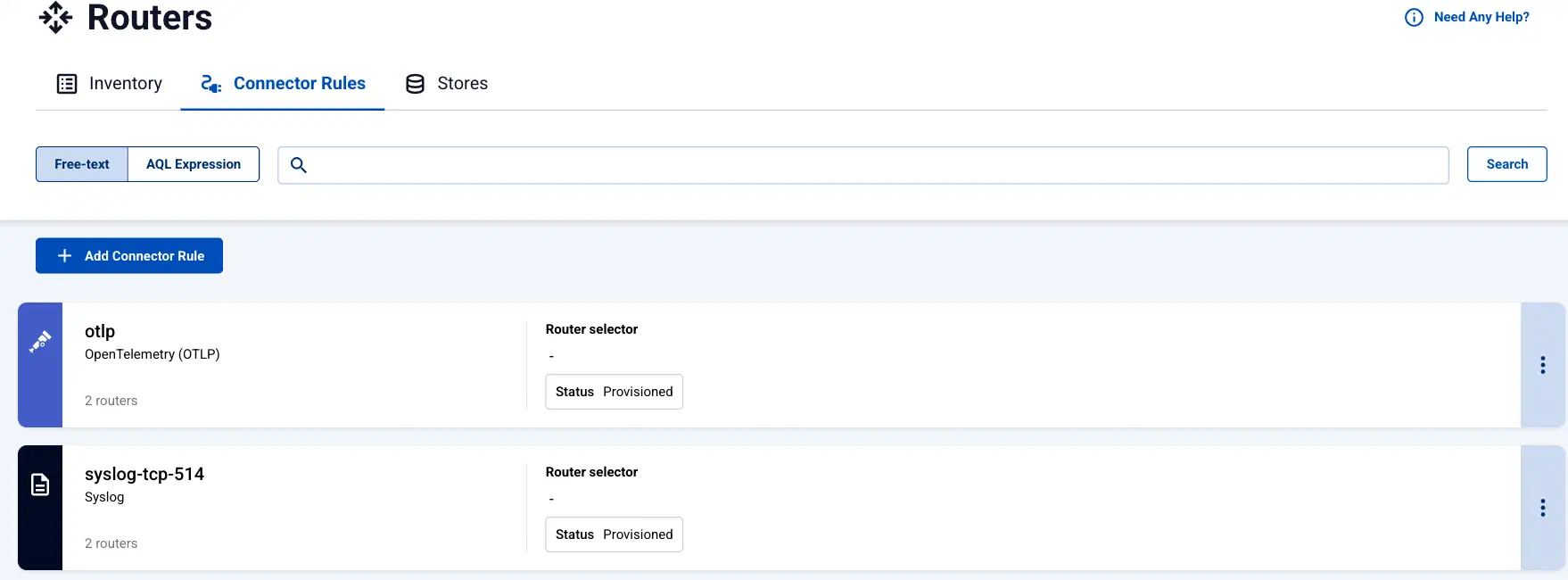
- Select the AWS VPC Flow Logs.
-
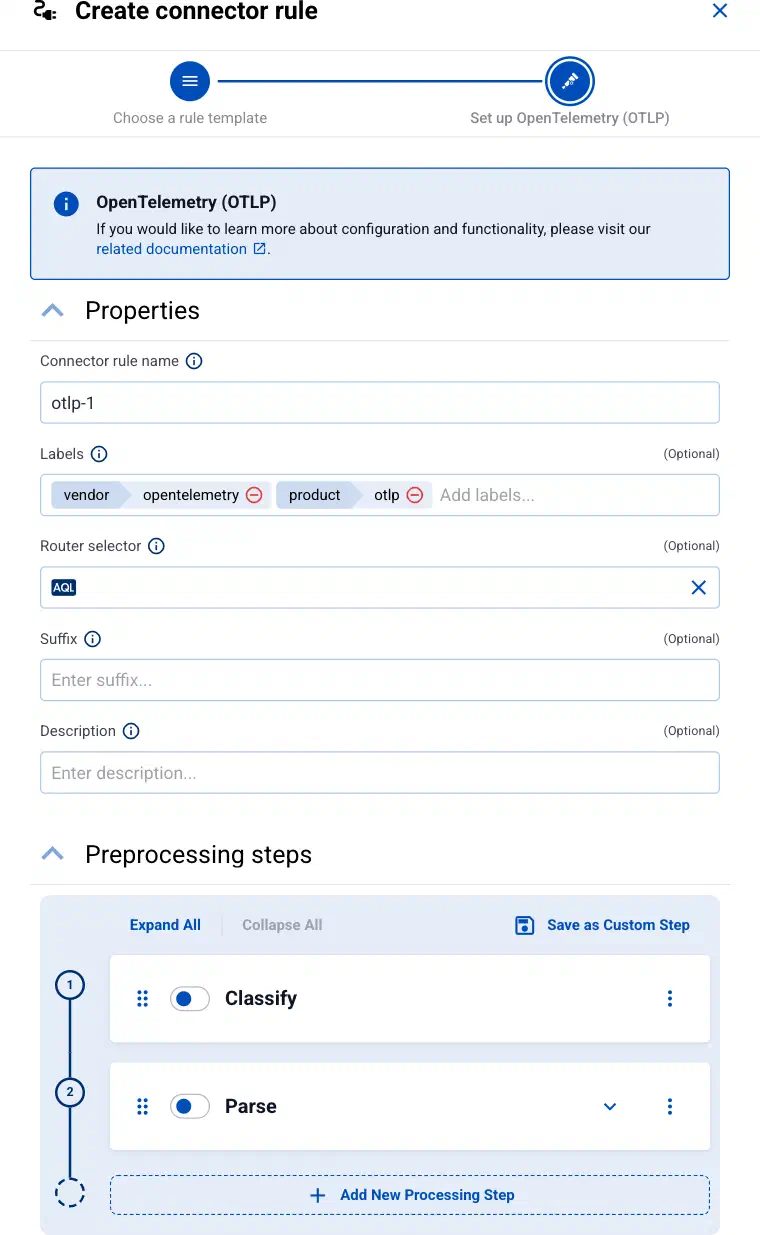
Enter a name for the connector rule into the Connector rule name field.
-
(Optional) Add labels to the connector rule. You will be able to use these labels in Flow Processing steps, for example, in the Query field of Select Messages steps. For details about the message schema and the related connector-specific fields, see the
meta.connectorobject. -
Set the Router selector for the connector rule. The selector determines which AxoRouter instances get a connector from this connector rule.
CAUTION:
Each connector rule for AWS VPC Flow Logs must match exactly one AxoRouter. Use the
nameorguidAQL selector to make sure it matches only one AxoRouter. Otherwise several Axoflow Cloud Connector instances collect the same data, and Axoflow receives every message multiple times.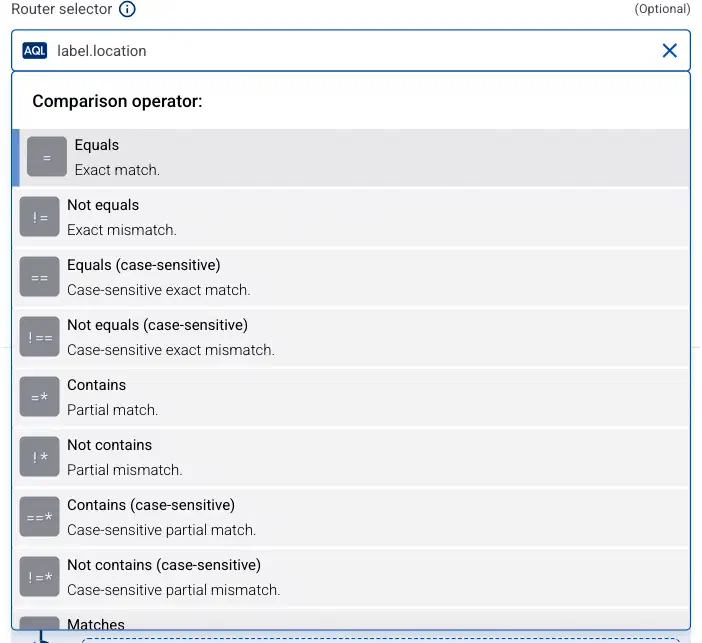
You can use any labels and metadata of the AxoRouter hosts in the Router selectors, for example, the hostname of the AxoRouter, or any custom labels.
- If you leave the router selector empty, it matches every AxoRouter instance.
- To select only a specific AxoRouter instance, set the
namefield to the name of the instance as selector. For example,name = my-axorouter. - If you set multiple fields in the selector, the selector will match only AxoRouter instances that match all elements of the selector. (There in an AND relationship between the fields.)
-
(Optional) Enter a Suffix for the connector rule. AxoConsole uses the suffix in the name of the connector instances that it creates on the AxoRouter hosts. The name of the connector instance follows the
<name-of-AxoRouter>-<suffix>schema. For example, if the name of a matching AxoRouter instance isaxorouter-1, and the suffix of the rule iscustom, the name of the connector on that AxoRouter isaxorouter-1-custom.If the Suffix field is empty, AxoConsole uses the name of the connector rule instead. For example, if the name of the connector rule is
otlp-1, the name of the connector isaxorouter-1-otlp-1. - (Optional) Enter a description for the rule.
-
Configure how Axoflow Cloud Connector reaches the bucket and the queue.
- Region: The AWS region of the S3 bucket and the SQS queue. S3 event notifications can only target a queue in the region of the bucket.
- Bucket: The name of the S3 bucket that the VPC flow log subscription delivers its log files to.
- SQS queue URL: The HTTPS URL of the SQS queue that receives the
s3:ObjectCreated:*event notifications of the bucket.
- (Optional) Select More options to change the advanced options of the connector, for example, to set the credentials that Axoflow Cloud Connector authenticates with.
- Select Add. The Axoflow Cloud Connector starts reading the queue and forwarding the collected flow logs to the AxoRouter instance.
-
Verify that the Axoflow Cloud Connector is running.
- Select Routers, then select the AxoRouter you added the Axoflow Cloud Connector to.
- Select Services and check that axoflow-cloudconnector.service is running without errors.
-
Create a Flow to route the data from the AxoRouter instance to a destination. You can use the Labels of this source to select its messages.
Advanced options
Select More options on the connector rule to set the following options.
- Prefix: Collect only the objects whose key starts with this prefix. It’s useful if the bucket holds other log types as well.
- Access key and Secret key: A static AWS credential. Set both options, or neither of them. If you leave them empty, Axoflow Cloud Connector uses the default AWS credential chain of the host it runs on, for example, an EC2 instance role, EKS IRSA or Pod Identity, or environment variables.
- Role ARN: The ARN of an IAM role that Axoflow Cloud Connector assumes before it reads the queue and the bucket, for example, when the log files are delivered to the bucket of another account. Axoflow Cloud Connector assumes the role with the static keys if you set them, otherwise with the identity of the host.
- External ID: The external ID (
sts:ExternalId) that the trust policy of the role requires. Set it only together with Role ARN.
Labels
Axoflow automatically adds the following labels to data collected from this source:
| Analytics label | Message field | Value |
|---|---|---|
vendor |
meta.vendor |
amazon |
product |
meta.product |
aws-vpc-flow-logs |
You can use the labels as:
- labels in Customize Graph on the Analytics page,
- in the Filter labels field during log tapping.
You can use the message fields
- in Flow Processing steps, for example, in the Query field of Select Messages steps,
- in AQL expressions in the search bars.
Sending data to Splunk
When sending the data collected from this source to Splunk, Axoflow uses the following sourcetype and index settings:
| sourcetype | index |
|---|---|
aws:cloudwatchlogs:vpcflow |
aws-activity |
If the Axoflow classification doesn’t set the source field for the message automatically, and you haven’t set it in a flow processing step manually (by setting the meta.destination.splunk.source field), AxoRouter automatically sets the source to the name of the AxoRouter connector that received the message (for example, axorouter-syslog-tcp-514).
Sending data to Google SecOps
When sending the data collected from this source to a dynamic Google SecOps destination, Axoflow sets the following log type: AWS_VPC_FLOW.