Windows Event Log
Collect logs from the Event Log of the host. You can:
- read all data from specific Event Log channels,
- use a custom event filter query, or
- read data from a specific EVTX file.
Prerequisites
This collector can be deployed to edge hosts running Axoflow agent for Windows.
Add new Event Log Collector
To create a new collection rule that collects Windows Event Logs from edge hosts, complete the following steps:
-
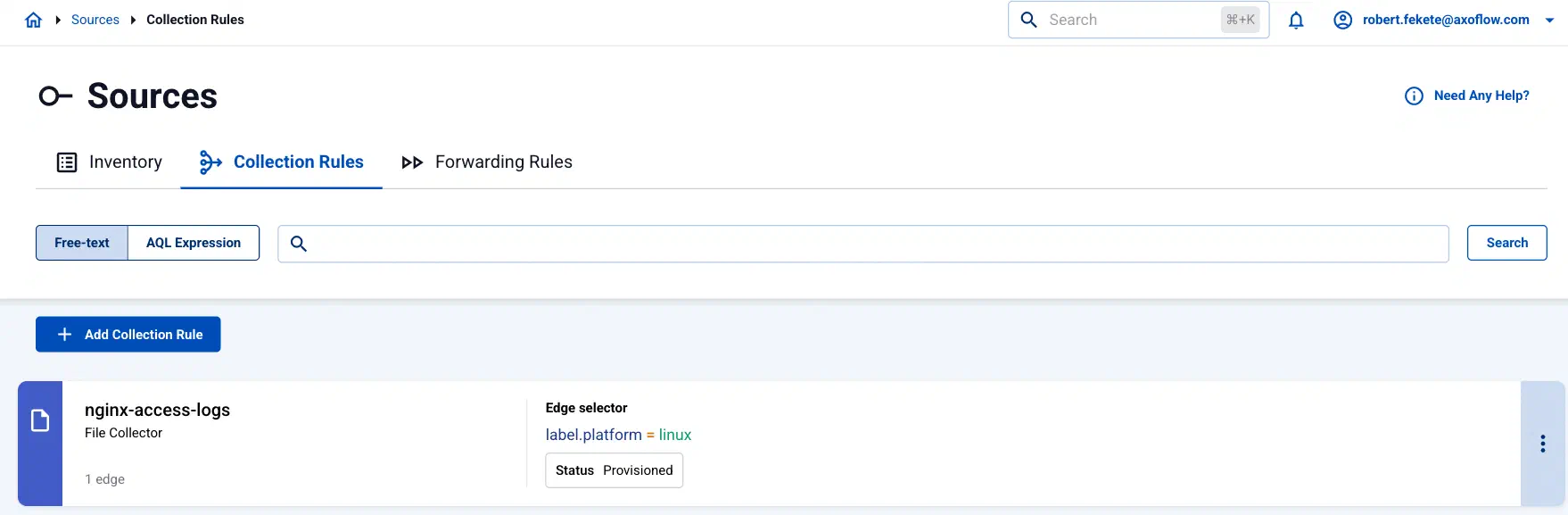
Select Sources > Collection Rules > Add Collection Rule. (Alternatively, you can select Add Connector > Add a data collection rule on the Connectors page of an edge host.)
-
Select Windows Event Log.
-
Configure the collection rule.
-
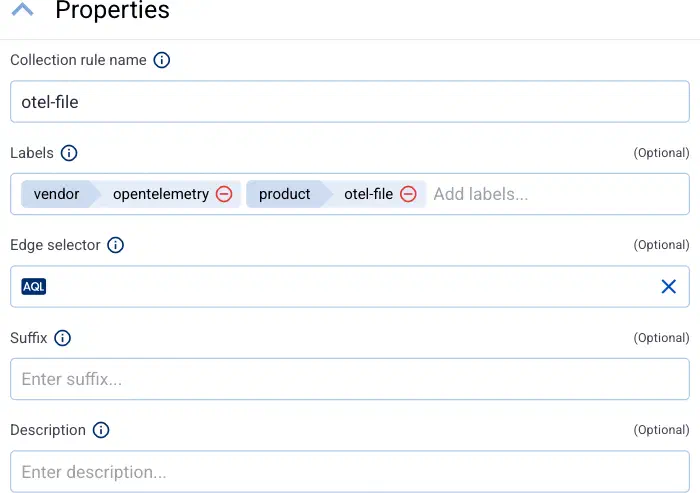
Enter a name for the collection rule into the Collection rule name field.
-
(Optional) Add labels to the collection rule.
AxoConsole automatically adds the following selectors based on the collector type:
- File Collector:
vendor = opentelemetryproduct = otel-file - Journald Collector:
vendor = opentelemetryproduct = otel-journald - Windows Event Log:
vendor = microsoftproduct = windows-event-log - Windows Event Tracing:
vendor = microsoftproduct = windows-event-tracing
You can use these metrics labels as:
- labels in Customize Graph on the Analytics page
- in the Filter labels field during log tapping
- in Flow Processing steps, for example, in the Query field of Select Messages steps.
For edge-related metrics, see the metrics beginning with
edge_connector - File Collector:
-
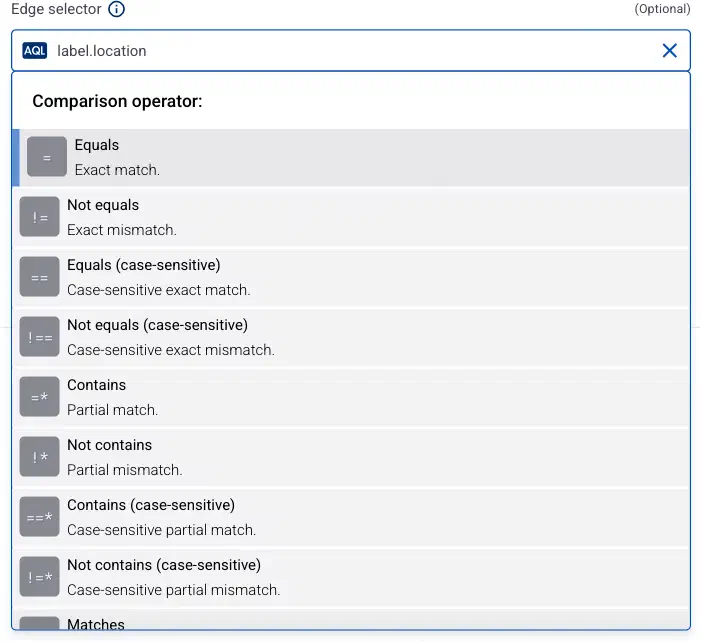
Set the Edge selector for the collection rule. The selector determines which edge hosts will have a collector based on this collection rule.
- Only edge hosts will match the rule.
- If you leave the edge selector empty, the rule matches every edge host.
- To select only a specific host, set the
namefield to the name of the host as selector. - If you set multiple fields in the selector, the collection rule will apply only to edge hosts that match all elements of the selector. (There in an AND relationship between the fields.) For example,
label.location = us-east-1 AND label.product = windows
-
AxoConsole automatically adds the following selectors based on the collector type:
- Journald Collector:
label.platform = linux - Windows Event Log:
label.platform = windows - Windows Event Tracing:
label.platform = windows
- Journald Collector:
-
(Optional) Enter a Suffix for the collection rule. AxoConsole adds the suffix to the name of the collector instances that it creates on the edge hosts. For example, if the name of a matching edge host is
edge-host-1, and the suffix of the rule isotel-file-collector, the name of the collector on that host isedge-host-1-otel-file-collector.If the Suffix field is empty, AxoConsole uses the name of the collection rule instead.
-
(Optional) Enter a description for the rule.
-
-
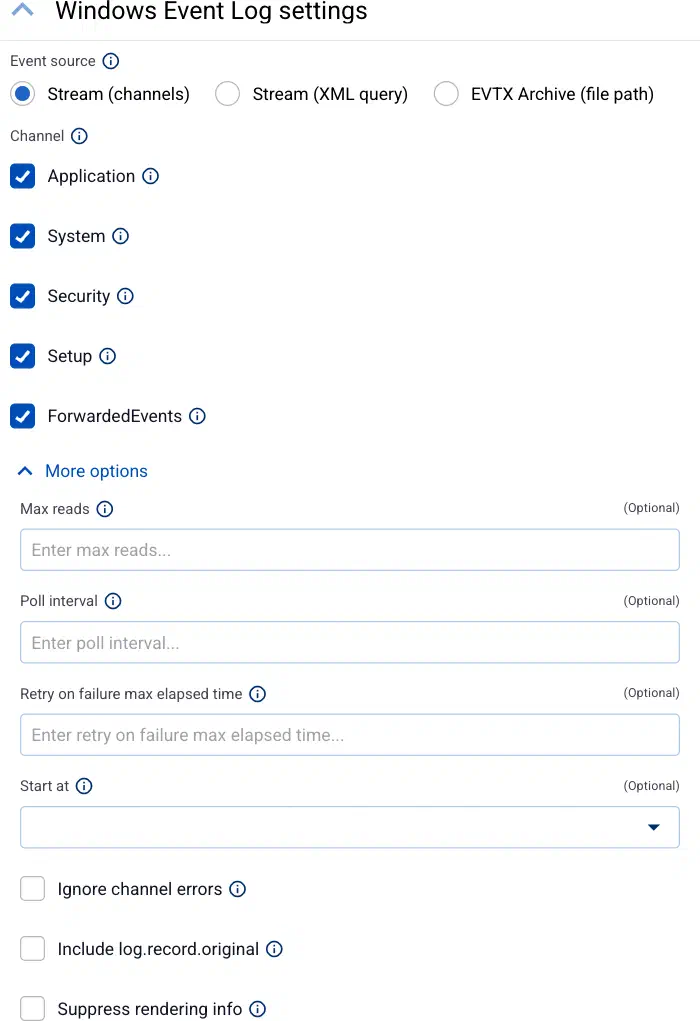
Select which Event Logs to collect.
-
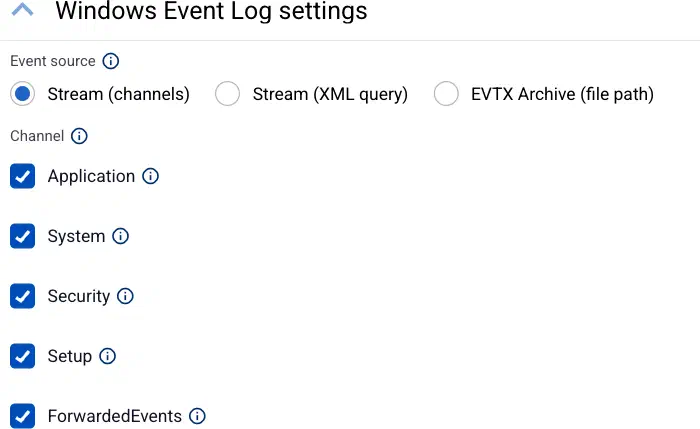
To collect all Event Logs from the selected built-in channels, select Stream (channels), then the channels to collect data from: Application, System, Security, Setup, and ForwardedEvents.
-
To use a custom query, select Stream (XML query), then enter the event filter query into the Query field. This query specifies which events are collected by the subscription. For details on the query syntax, see the Microsoft documentation. A single query can retrieve events from a maximum of 256 different channels. For example, the following example queries every event from the Application, Security, System, and Setup channels.
<QueryList>
  <Query Id="0">
    <Select Path="Application">*</Select>
    <Select Path="Security">*</Select>
    <Select Path="Setup">*</Select>
    <Select Path="System">*</Select>
  </Query>
</QueryList>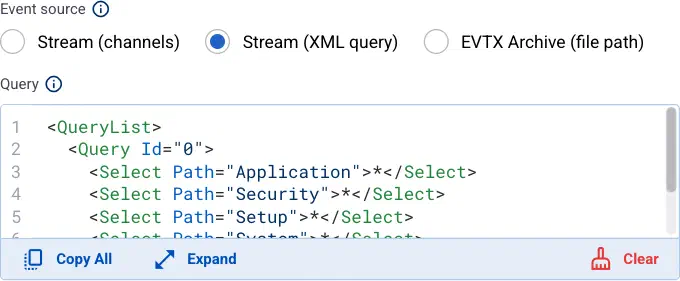
-
To collect data from an EVTX file, select EVTX Archive (file path), then enter the path to the file to read, for example
%SystemRoot%\System32\example.evtxorD:\example.evtx.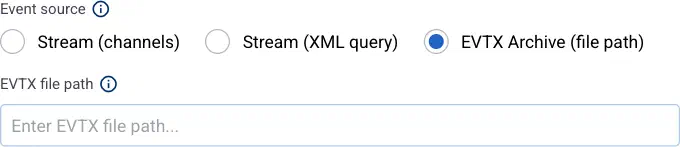
-
-
(Optional) If needed, set advanced options under More options.
-
Select Add. Based on the collection rule, Axoflow automatically creates collectors on the edge hosts that match the Edge selector.
CAUTION:
Make sure to configure data forwarding rules for your edge hosts to transfer the collected data to the OpenTelemetry connector of an AxoRouter.
Related metrics
You can use these metrics labels as:
- labels in Customize Graph on the Analytics page
- in the Filter labels field during log tapping
- in Flow Processing steps, for example, in the Query field of Select Messages steps.
| label | Value |
|---|---|
| edge_connector_name | The name of the collector that collected the message. |
| edge_connector_type | windowsEventLog |
| edge_connector_label_ | Labels set by the collector. By default: vendor:microsoft, product:windows-event-log |
| edge_connector_rule_id | The ID of the Collector Rule resource in Axoflow that created the collector. |
| edge_flow_name | The name of the data forwarding rule that sent the message. |
Advanced options
- Max reads: The maximum number of records to read, before beginning a new batch.
- Poll interval: The duration between filesystem polls, for example:
1s,5m,1h. Default value:200ms - Retry on failure max elapsed time: Maximum time (including retries) to send a log batch to a downstream consumer before discarding it, for example:
1s,5m,1h. Retrying never stops if set to0. Default value0 - Start at: Specifies where to start reading logs on startup:
beginningorendof the file. Default value:beginning - Ignore channel errors: If enabled, the connector keeps working if it cannot open an event log channel.
- Raw: If disabled, the body of the emitted log records will contain a structured representation of the event. If enabled, the body will be the original XML string.
- Include log.record.original: If enabled,
log.record.originalis added to the attributes of the event. This stores the original XML string as configured in Suppress rendering info. - Suppress rendering info: If disabled, additional syscalls may be made to retrieve detailed information about the event. If enabled, some unresolved values may be present in the event.