Rehydrate data
Rehydrating data allows you to select a set of data stored in AxoStore and send it to any other destination. For example, that way you can send data stored in AxoLake to a SIEM for further analysis.
New Rehydration
To start a new rehydration job, complete the following steps.
-
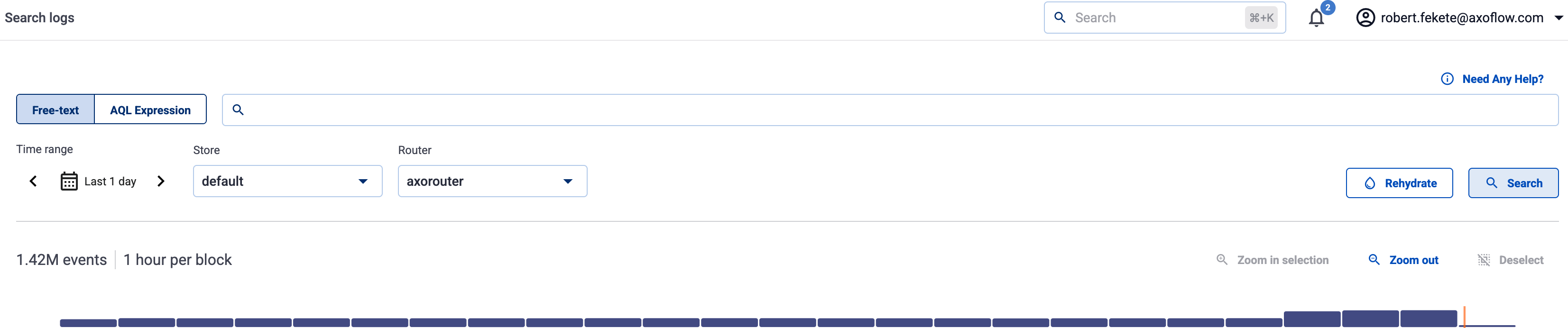
Select Rehydration > Start New Rehydration, or select Search logs > Rehydrate.
-
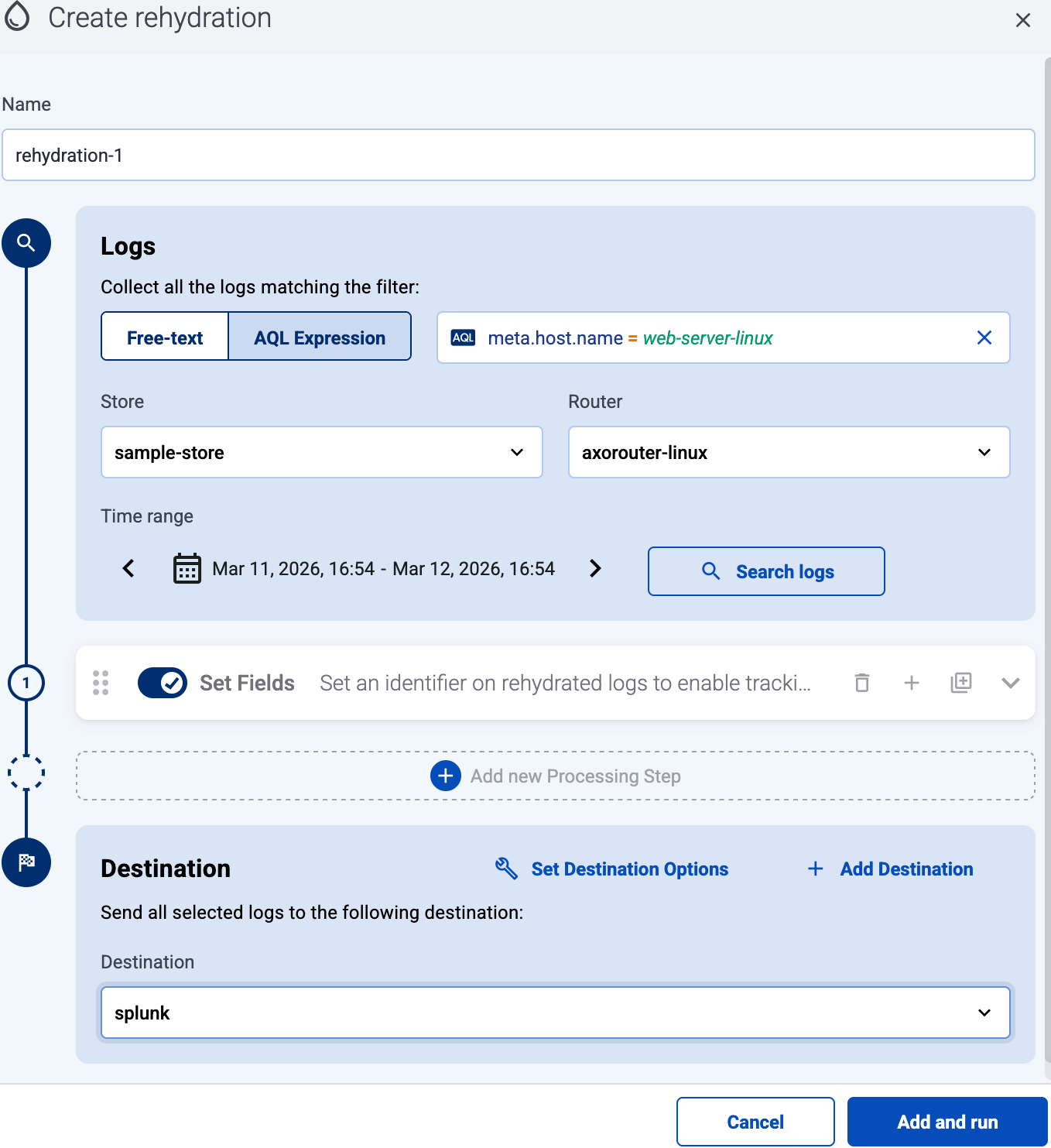
(Optional) AxoConsole automatically sets a name for the job. Set a custom name for the job if needed. This name is also added to the metadata of the rehydrated logs in the
meta.rehydration_namefield in a pre-filled processing step, which can be removed or modified if desired. -
Specify which logs you want to rehydrate. Like on the Search logs page, you can:
- use Free-text or AQL Expression search
- select logs from a specific Store or a specific Router
- select logs from a specific time range.
-
(Optional) Add Processing Steps if needed.
-
Select the Destination where you want to send the rehydrated data.
-
Select Add and run to start the job.
AxoConsole configures and starts the job. You can follow its progress on the Rehydration page.

For details on the possible performance impact of rehydration, see Performance considerations.
Manage rehydration jobs
All existing rehydration jobs are listed on the Rehydration page.
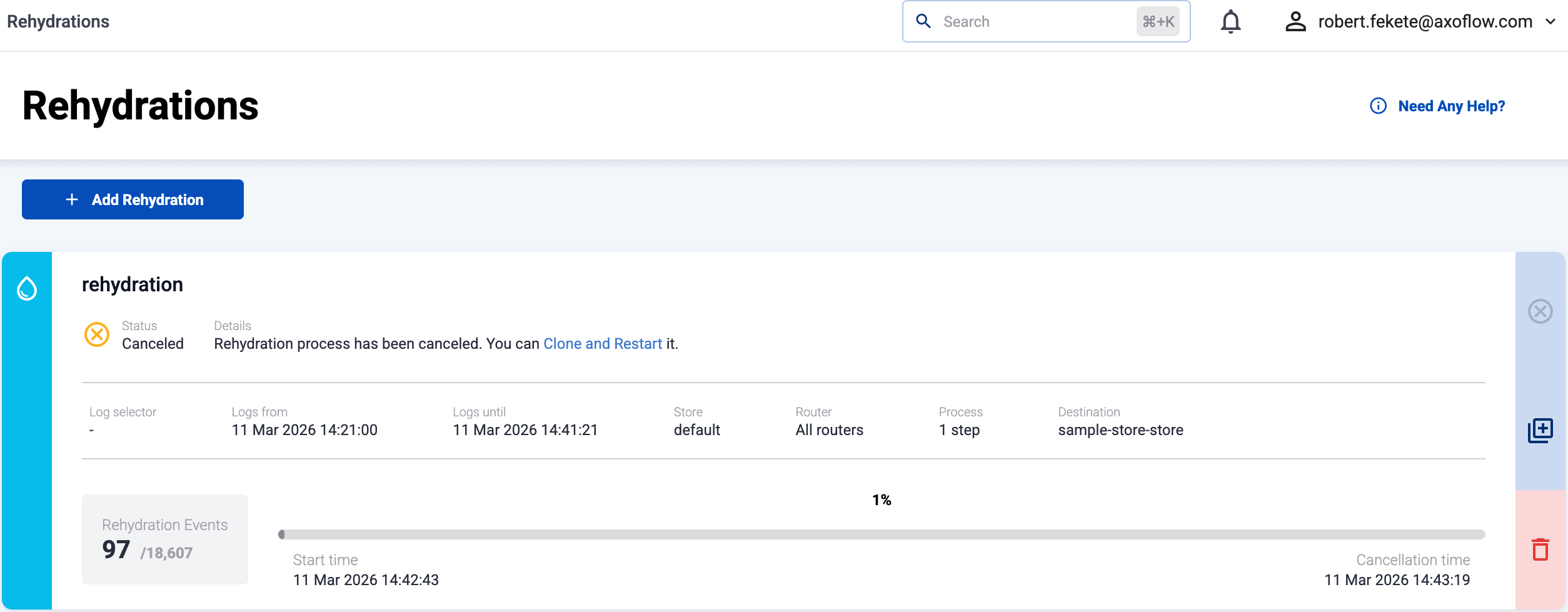
For every job the following information is shown:
- Name: The name of the job.
- Status:
In Progress,Completed,Canceled(stopped by a user), orFailed. For failed jobs, check the Details of the job for the error. - The data selectors used for the job.
- Rehydration Events: The number of events that matched the selectors, and the number of events sent to the destination.
- The progress bar of the job, including the start and end time.
You can perform the following actions on the jobs:
- To cancel an on-going job, select .
- To clone a job (and optionally modify its parameters), select .
- To delete a job, select .
Performance considerations
Rehydration jobs use the same AxoRouter destinations that other flows might use. For example, if you’re sending data to Splunk in a flow, and you’re also rehydrating data to the same Splunk destination, then these operations use the same resources (like buffers and bandwidth). As a result, running rehydration on an AxoRouter under heavy load may cause backpressure towards the sources, and slow down data ingestion.
If the AxoRouter host has enough free resources, you can create a duplicate of the destination with a lower number of workers, and use that in the rehydration job. This can help to prevent rehydration jobs causing issues with normal workloads.