Journald Collector
Collect logs from the journald system service of Linux-based edge hosts.
Prerequisites
This collector can be deployed to edge hosts running Axoflow agent for Linux.
Add new Journald Collector
To create a new Collection Rule that collects logs from journald, complete the following steps:
-
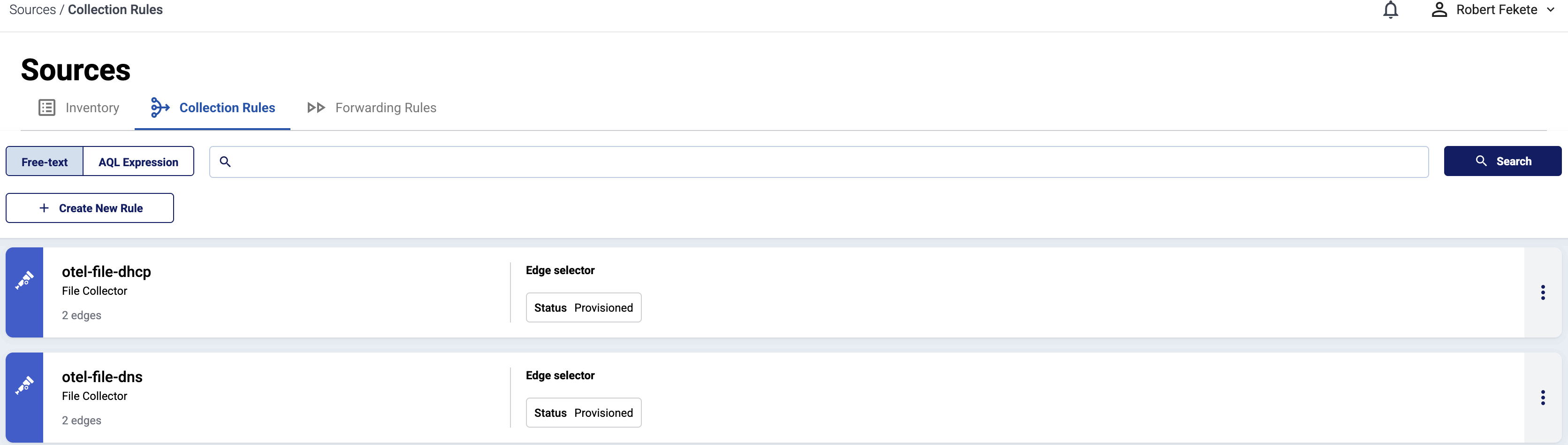
Select Sources > Collection Rules > Add Rule. (Alternatively, you can select Add Collector > Create a collection rule on the Collectors page of an edge host.)
-
Select Journald Collector.
-
Configure the connector rule.
-
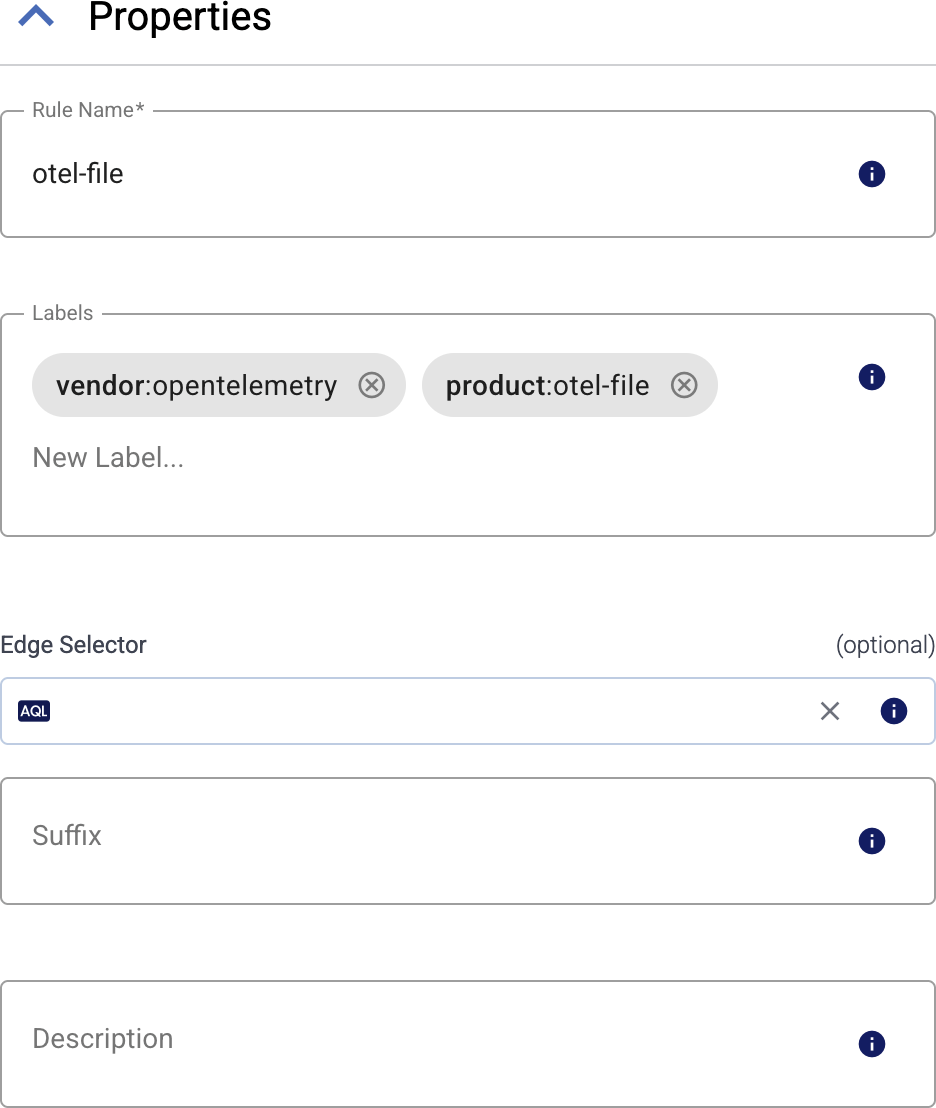
Enter a name for the collection rule into the Rule Name field.
-
(Optional) Add labels to the collection rule.
You can use these metrics labels as:
- Filter labels on the Analytics page
- in the Filter By Label field during log tapping
- in Flow Processing steps, for example, in the Query field of Select Messages steps.
-
Set the Edge Selector for the collection rule. The selector determines which edge hosts will have a collector based on this collection rule.
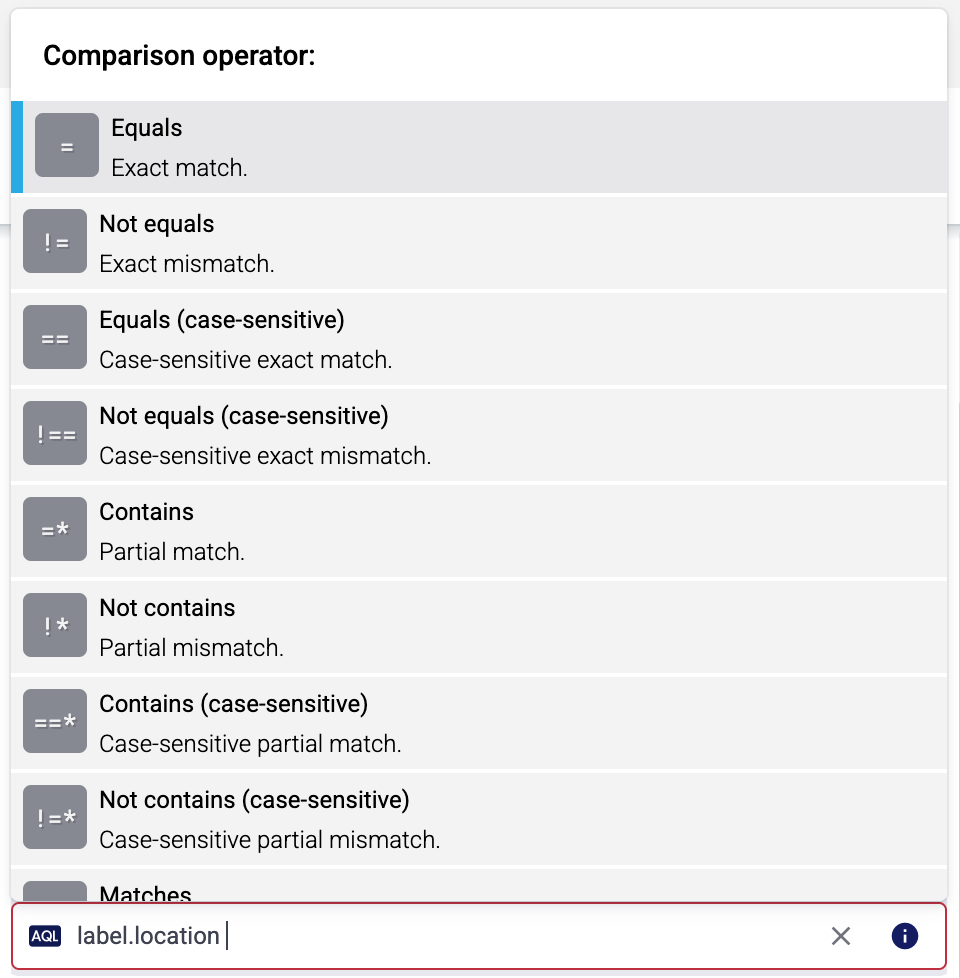
- Only edge hosts will match the rule.
- If you leave the Edge Selector field empty, the rule will match every edge host.
- To select only a specific host, set the
namefield to the name of the host as selector. - If you set multiple fields in the selector, the collection rule will apply only to edge hosts that match all elements of the selector. (There in an AND relationship between the fields.) For example,
label.location = us-east-1 AND label.product = windows
-
(Optional) Enter a Suffix for the collection rule. This suffix will be used in the name of the collector instances created on the edge hosts. For example, if the name of a matching edge host is “my-edge”, and the suffix of the rule is “otel-file-collector”, the collector created for the edge will be named “my-edge-otel-file-collector”.
If the Suffix field is empty, the name of the collection rule is used instead.
-
(Optional) Enter a description for the rule.
-
-
(Optional) To read older entries from the journal files, set Start at to
Beginning. Otherwise, Axoflow agent will only forward the journal entries that are created after the collector has been deployed.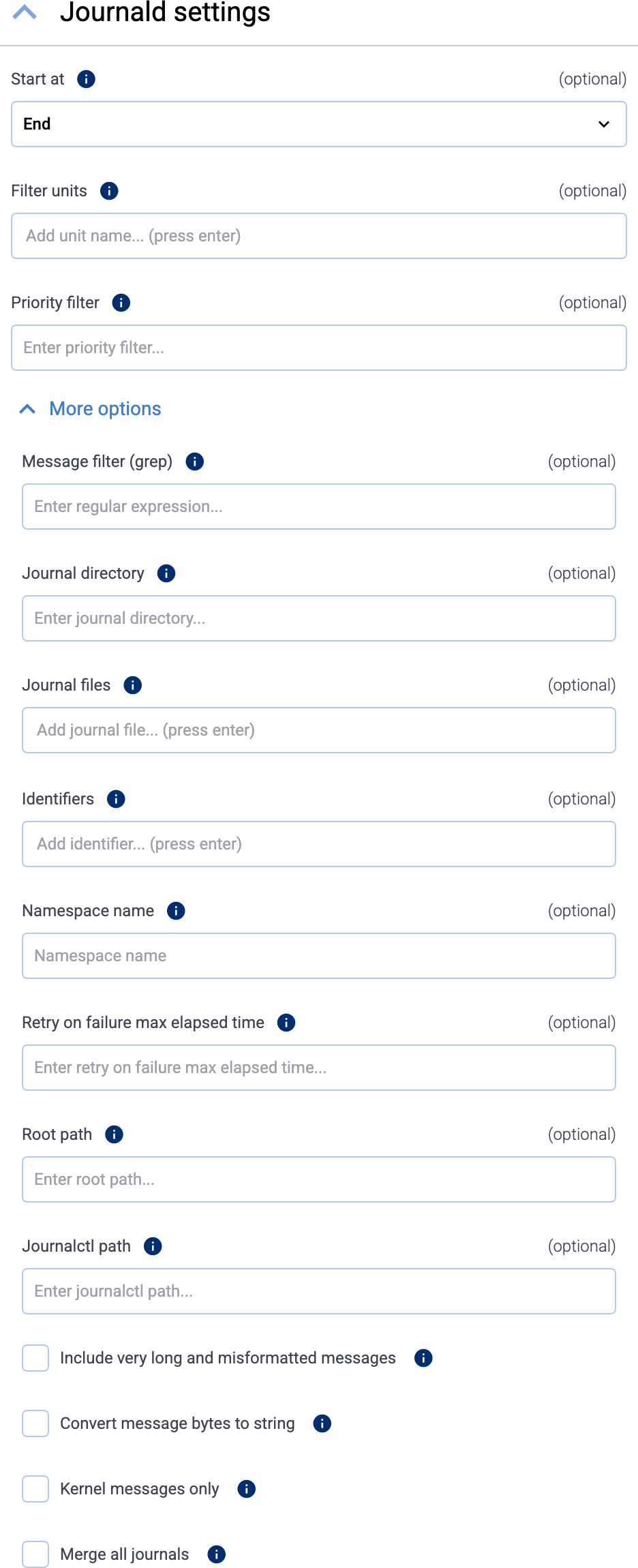
-
(Optional) To read only the entries from specific journald units, list the units in the Filter units field (for example,
nginx.service). By default, Axoflow agent reads the entries of every unit. To list the units available on a host, run the following command on the host:sudo systemctl list-units -
(Optional) To read only entries with the specified or higher priority, enter the priority value into the Priority filter field. Default value:
info(so debug level entries are omitted). The possible values in decreasing order are:emerg,alert,crit,err,warning,notice,info,debug. -
(Optional) If needed, set advanced options under More options.
-
Select Add. Based on the collection rule, Axoflow automatically creates collectors on the edge hosts that match the Edge Selector.
CAUTION:
Make sure to configure Data Forwarding Rules for your edge hosts to transfer the collected data to the OpenTelemetry connector of an AxoRouter.
Related metrics
You can use these metrics labels as:
- Filter labels on the Analytics page
- in the Filter By Label field during log tapping
- in Flow Processing steps, for example, in the Query field of Select Messages steps.
| label | value |
|---|---|
| edge_connector_name | The name of the collector that collected the message. |
| edge_connector_type | otelJournald |
| edge_connector_label_ | Labels set by the collector. By default: vendor:opentelemety, product:otel-journald |
| edge_connector_rule_id | The ID of the Collector Rule resource in Axoflow that created the collector. |
| edge_flow_name | The name of the data forwarding rule that sent the message. |
Advanced options
Note that if you set more than one filter-like fields (for example, Priority filter and Identifiers), Axoflow agent reads only entries that match all filters (there’s a logical AND operator between the fields). Within a field (for example, if you specify multiple Identifiers) the filters have an OR relation, so any matching entry is read (unless it gets excluded by another filter).
- Message filter (grep): Read only entries where the
MESSAGEfield matches the specified regular expression. - Journal directory: Specifies the directory containing journal files to read entries from. Relative to the Root path. Default value:
/run/log/journalor/run/journal, depending on the platform. - Journal files: Specifies the list of journal files to read entries from. Relative to the Root path. By default it’s empty, meaning that all files will be read.
- Identifiers: Read only entries of the listed message identifiers (SYSTEMD_IDENTIFIER), for example,
2. - Namespace name: Query the given namespace. See man page systemd-journald.service(8) for details.
- Retry on failure max elapsed time: Maximum amount of time (including retries) spent trying to send a logs batch to AxoRouter, for example,
5 minutes. When this value is reached, the data that wasn’t sent is discarded. Default value:0(keep retrying indefinitely) - Root path: The chroot to use when executing the
journalctlcommand. By default, it’s empty (no chroot is used). To set a path, use an absolute path. Note that if you set a root path, other options of the collector must be set relative to the root path (for example, Journal directory), while others must be absolute (for example, Journalctl path). - Journalctl path: The
journalctlcommand to execute. Relative to the Root path, unless the Root path is set, in which case Journalctl path must be absolute. Default value:journalctl - Include very long and misformatted entries: Read very long logs and logs with unprintable characters.
- Convert message bytes to string: If the
MESSAGEfield of an entry incudes an array of bytes, convert the array to string. - Kernel messages only: Read only kernel messages (dmesg). This shows logs from the current boot and that match
_TRANSPORT=kernel. - Merge all journals: Read from all available journals, including remote ones.