Host information
AxoConsole provides a quick overview of every data source and edge host on the Sources page, and AxoRouter on the Routers page. The exact information depends on the type of the host: hosts managed by Axoflow provide more information than external hosts.

The following information is displayed:
- Hostname or IP address
- Metadata labels. These include labels added automatically during the Axoflow curation process (like product name and vendor labels), as well as any custom labels you’ve assigned to the host.
For edge hosts (hosts that have the Axoflow agent (Axolet) installed):
- The version on the agent
- The name and version of the log collector running on the host (for example, AxoSyslog or Splunk Connect for Syslog)
- Operating system, version, and architecture
- When AxoConsole has last received metrics from the host
- Resource information: CPU and memory usage, disk buffer usage. Click on a resource to open its resource history on the Metrics & health page of the host.
- Traffic information: volume of the incoming and outgoing data traffic on the host.
- Cloud-related labels: If the host is running in the cloud, the provider, region, zone labels are automatically available.
- An indicator if there are any active alerts on the host.
For more details about the host, select the hostname, or click ⋮ Host Options.
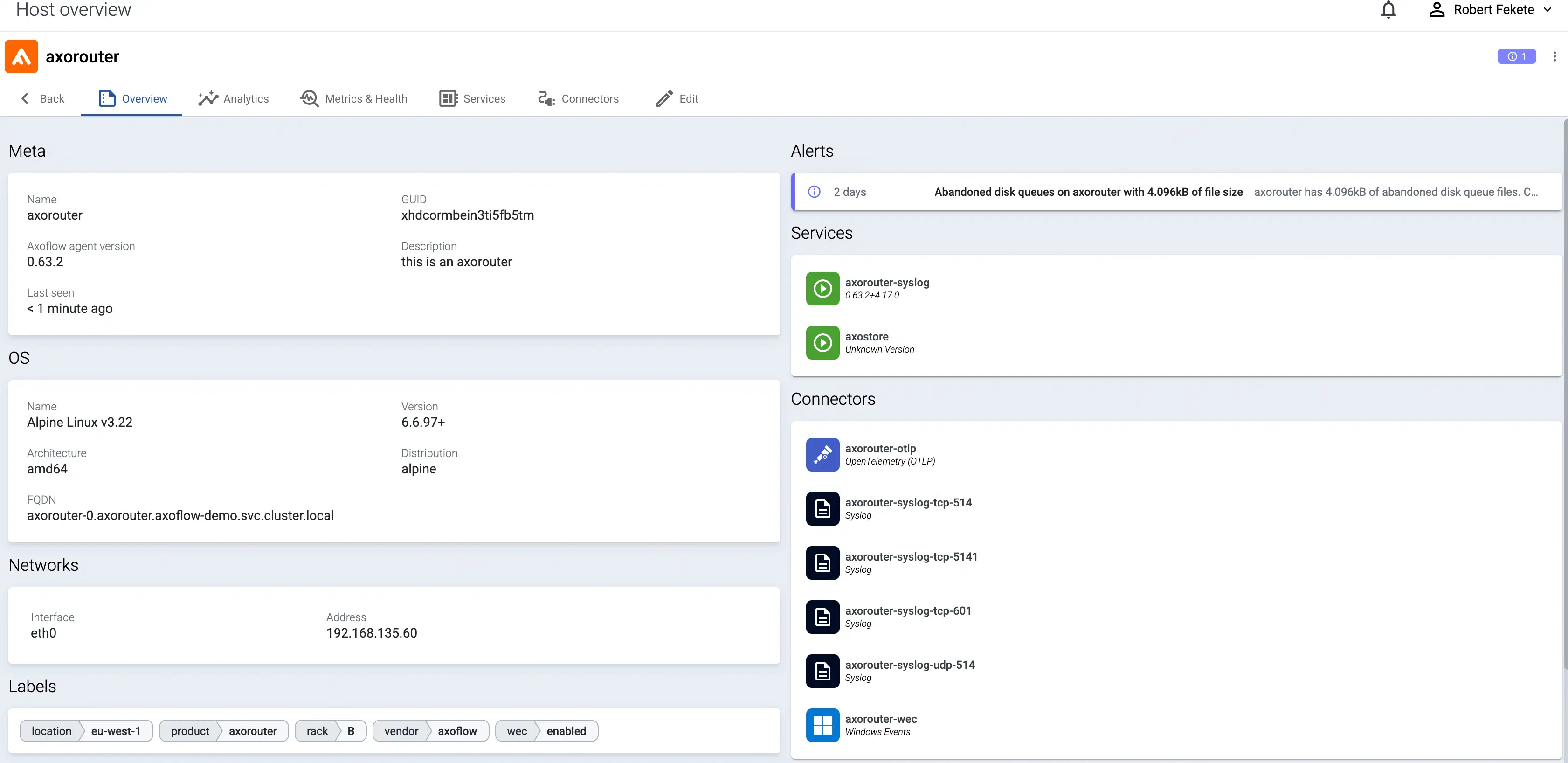
The host Overview page gives a quick overview of the host, including:
- The Services.
- Any active Alerts.
- the Connectors and Forwarding Rules available on Axoflow agent hosts.
- the Connectors, Flows, and Stores available on AxoRouter hosts.
You can also access host-specific Analytics and Metrics.