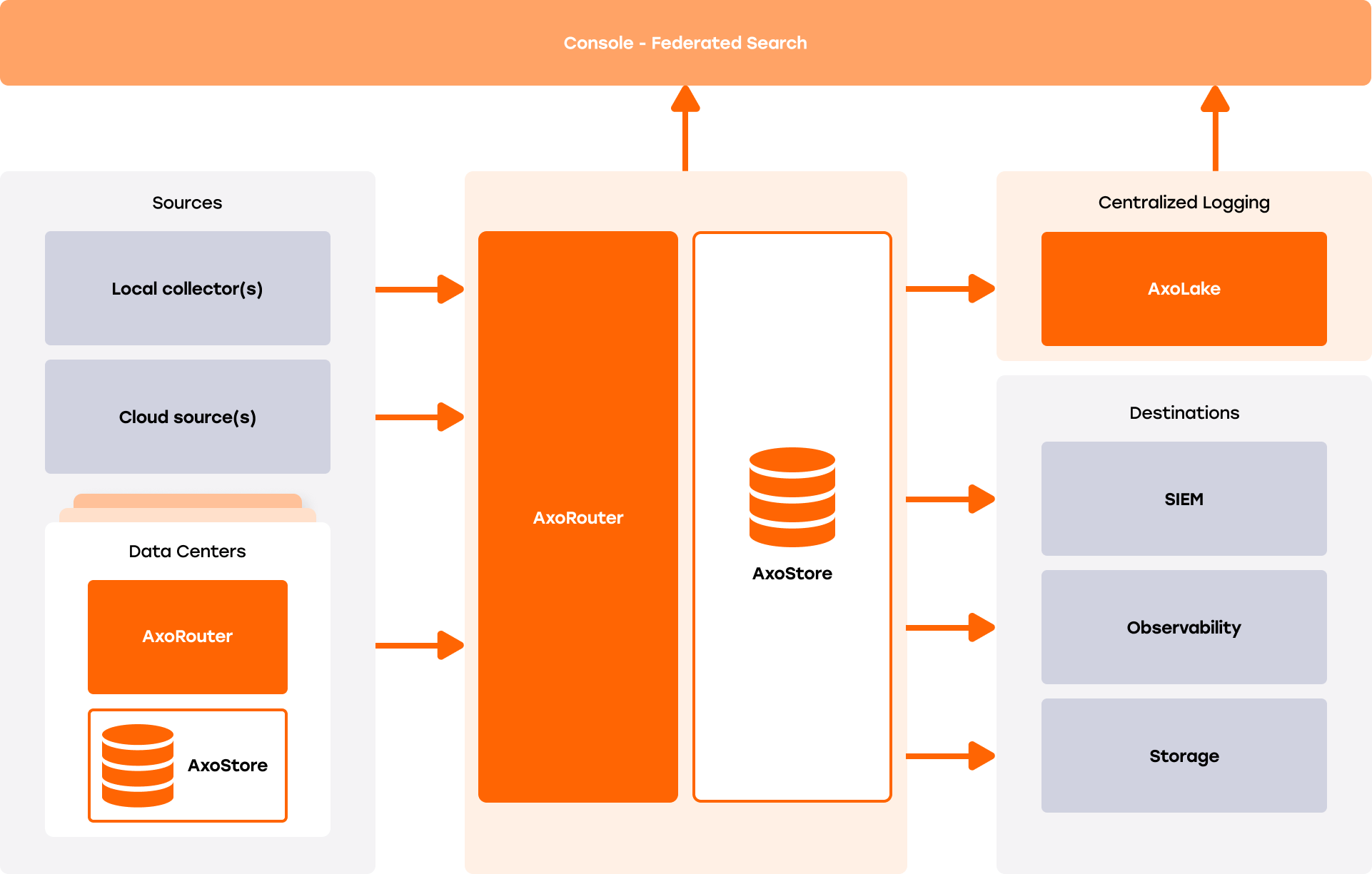
Axoflow provides a range of storage solutions for your security data, with federated search capabilities.
-
AxoStore is a lightweight, queryable, temporary storage option that stores data locally on the AxoRouter host. AxoConsole provides federated search for every AxoRouter that has AxoStore deployed, so you can simultaneously run queries on every AxoStore.
AxoStore is automatically available for all Axoflow customers, for each AxoRouter node, with 7 days retention, and up to 1TB of storage. For longer retention time or bigger storage, you need an extended AxoStore subscription. Contact us for the details.
-
AxoLake is a tiered SaaS security lake with a scalable hot tier for fast queries, and cost-efficient, S3-compatible cloud-based cold tier. You can use high-level, policy-based routing to decide which data goes to cold storage, hot storage, or your SIEM. If you need to work with data from cold storage, you can rehydrate it into hot storage, or even replay it to send it into your SIEM. Designed for long-term retention, open access, and integration with SIEMs and security analytics.
AxoLake provides cheap, long-term archive storage, while delivering accessible hot data for detection and analytics.
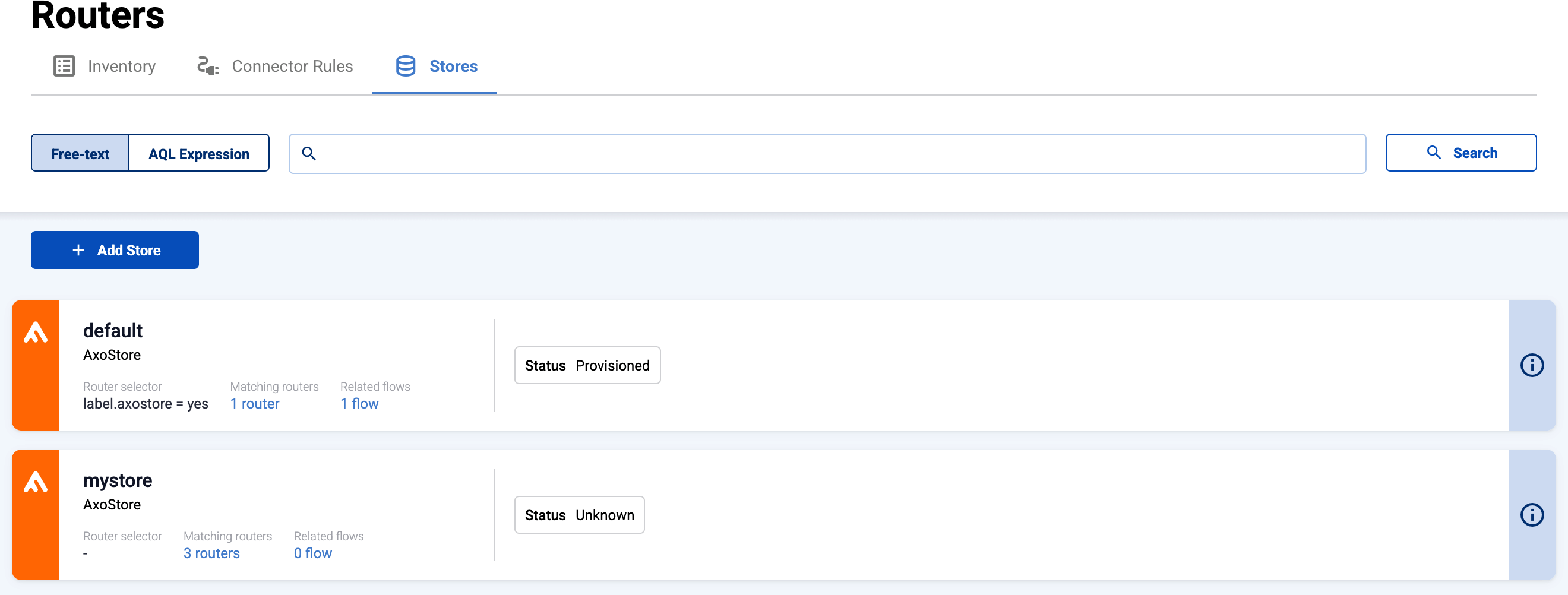
To separate the different data in the storage, you can create separate containers called stores. Each store appears as separate destination that you can select in your flows.
We refer to stores created in AxoStore as stores, while those in AxoLake are called external stores.
The available stores are listed on the Routers > Stores page. To show only one type of stores, select AQL Expression and enter type=axostore or type=external.