# Processing steps
Flows can include a list of _processing steps_ to select and transform the messages. All log messages received by the routers of the flow are fed into the pipeline constructed from the processing steps, then the filtered and processed messages are forwarded to the specified destination.
**CAUTION:**
Processing steps are executed in the order they appear in the flow. Make sure to arrange the steps in the proper order to avoid problems.
To add processing steps to an existing flow, complete the following steps.
1. Open the **Flows** page and select the flow you want to modify. Alternatively, select `⌘/Ctrl + K` and enter the name of the flow.
2. Select **Process > Add new Processing Step**.
3. Select the type of the processing step to add.
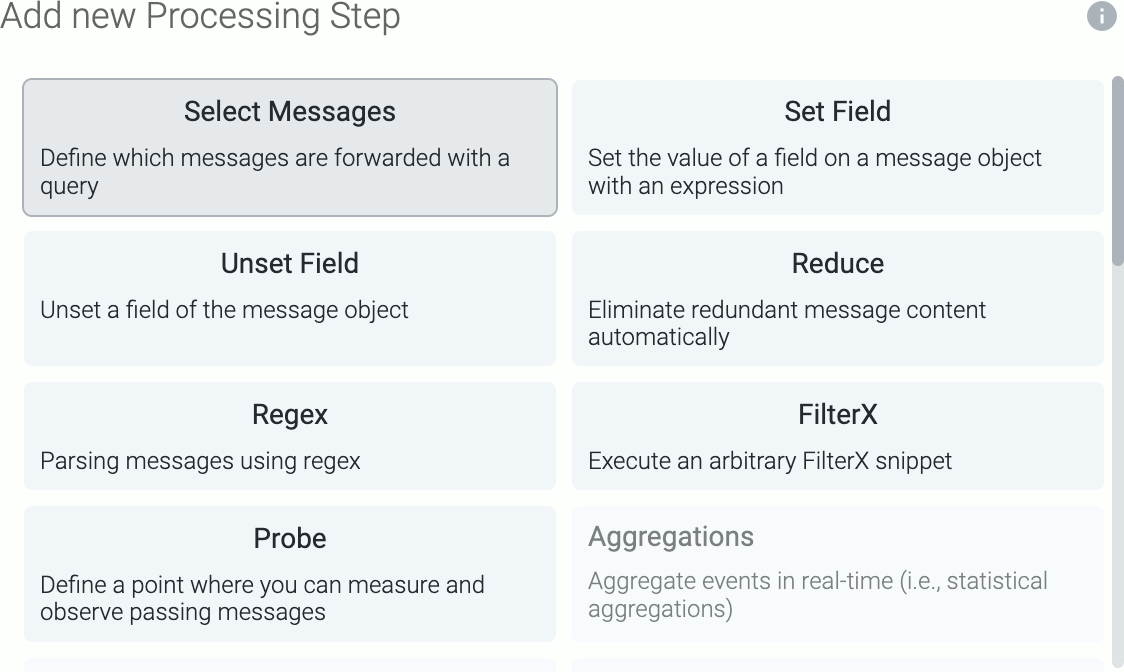
The following types of processing steps are available:
* [**Classify**](../../docs/axoflow/data-management/processing/index.md#classify): Automatically classify the data and assign vendor, product, and service labels. This step (or its equivalent in the [Connector rule](../../docs/axoflow/data-sources/connector-rules/index.md)) is required for the [**Parse**](../../docs/axoflow/data-management/processing/index.md#parse) and [**Reduce**](../../docs/axoflow/data-management/processing/index.md#reduce) steps to work.
* [**FilterX**](../../docs/axoflow/data-management/processing/index.md#filterx): Execute an arbitrary [FilterX]() snippet.
* [**Normalize**](../../docs/axoflow/data-management/processing/index.md#normalize): Normalize the data according to the specified standard: Dynatrace, Elastic Common Schema (**ECS**), or Open Cybersecurity Schema Framework (**OCSF**).
* [**Parse**](../../docs/axoflow/data-management/processing/index.md#parse): Automatically parse the data to extract structured information from the content of the message. The [**Classify**](../../docs/axoflow/data-management/processing/index.md#classify) step (or its equivalent in the [Connector rule](../../docs/axoflow/data-sources/connector-rules/index.md)) is required for the **Parse** step to work.
* [**Probe**](../../docs/axoflow/data-management/processing/index.md#probe): A measurement point that provides metrics about the throughput of the flow.
* [**Reduce**](../../docs/axoflow/data-management/processing/index.md#reduce): Automatically remove redundant content from the messages. The [**Classify**](../../docs/axoflow/data-management/processing/index.md#classify) and [**Parse**](../../docs/axoflow/data-management/processing/index.md#parse) steps (or their equivalent in the [Connector rule](../../docs/axoflow/data-sources/connector-rules/index.md)) are required for the **Reduce** step to work.
* [**Regex**](../../docs/axoflow/data-management/processing/index.md#regex): Execute a regular expression on the message.
* [**Select Messages**](../../docs/axoflow/data-management/processing/index.md#select-messages): Filter the messages using a query. Only the matching messages will be processed in subsequent steps.
* [**Set Fields**](../../docs/axoflow/data-management/processing/index.md#set-fields): Set the value of one or more fields on the message object.
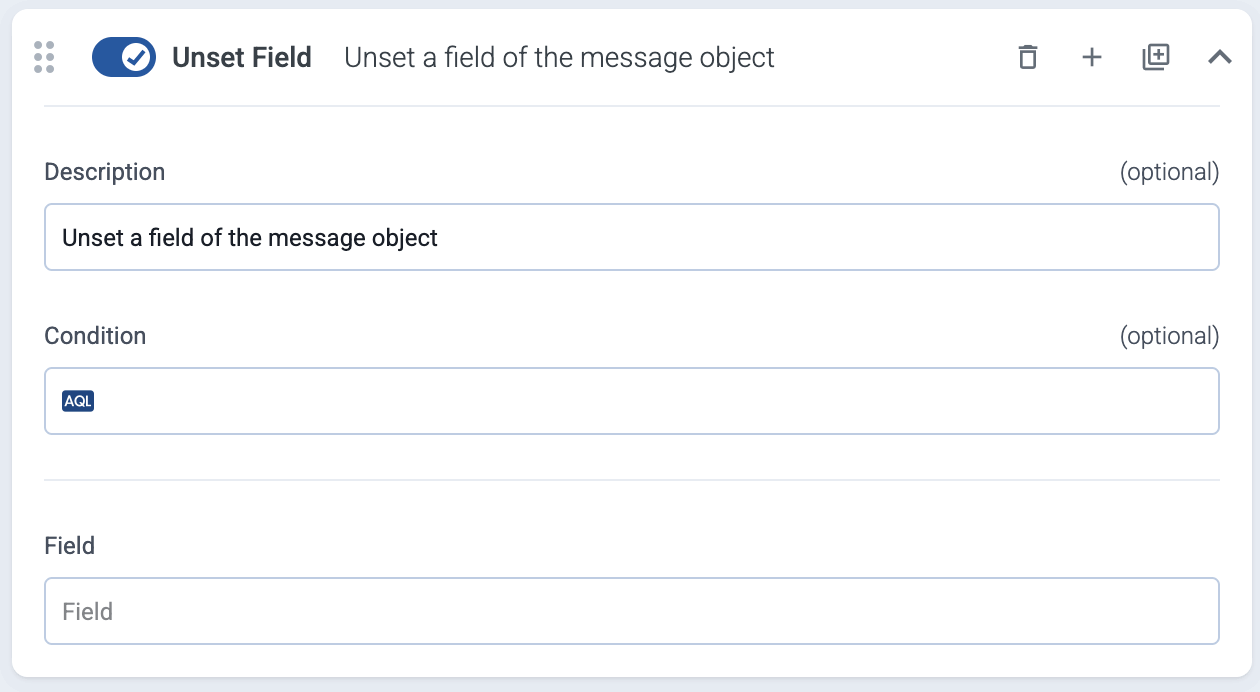
* [**Unset Field**](../../docs/axoflow/data-management/processing/index.md#unset-field): Unset the specified field of the message object.
4. Configure the processing step as needed for your environment.
5. (Optional) To apply the processing step only to specific messages from the flow, set the **Condition** field of the step. Conditions act as filters, but apply only to this step. Messages that don’t match the condition will be processed by the subsequent steps. For details about the message schema and the available fields, see [Message schema reference](../../docs/axoflow/reference/message-schema/reference/index.md).
Conditions use AQL queries, making complex filtering possible, using the Equals, Contains (partial match), and Match (regular expression match) operators. Note that:
* AxoConsole autocompletes the built-in and custom labels and field names, as well as their most frequent values, but doesn’t autocomplete labels and variables created by data parsing and processing steps. See the [Message schema](../../docs/axoflow/reference/message-schema/index.md) for details.
* You can use the `AND` and `OR` operators to combine expressions, and also parenthesis if needed.
6. (Optional) If needed, drag-and-drop the step to change its location in the flow.
7. Select **Save**.
## Classify
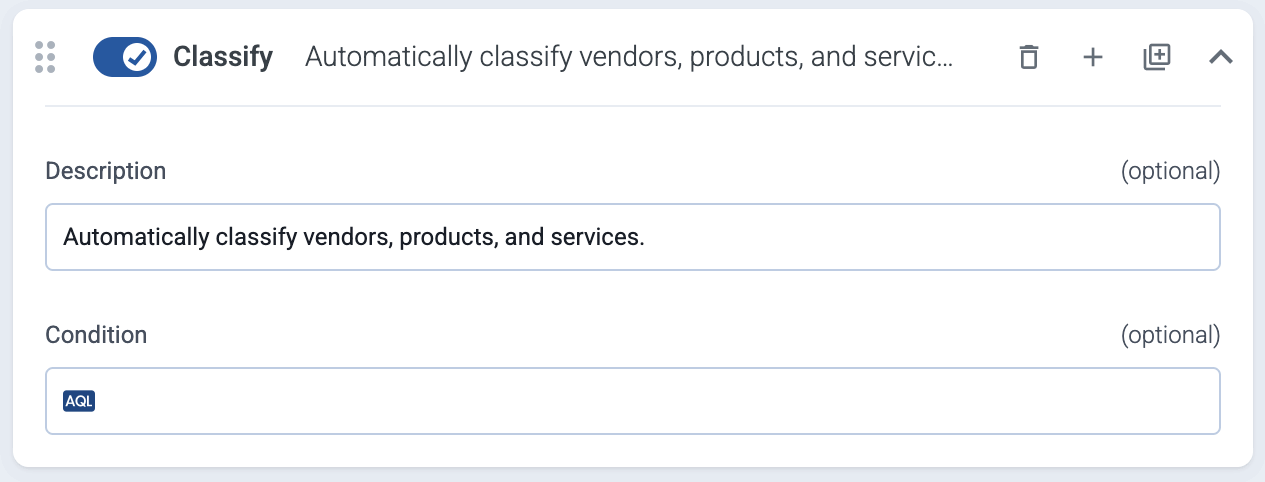
Automatically classify the data and assign vendor, product, and service labels. This step (or its equivalent in the [Connector rule](../../docs/axoflow/data-sources/connector-rules/index.md)) is a prerequisite for the [**Parse**](../../docs/axoflow/data-management/processing/index.md#parse) and [**Reduce**](../../docs/axoflow/data-management/processing/index.md#reduce) steps, and must be executed before them. AxoRouter can parse data from the [supported data sources](../../docs/axoflow/data-sources/appliances/index.md). If your source isn’t listed, [contact us]().
## FilterX
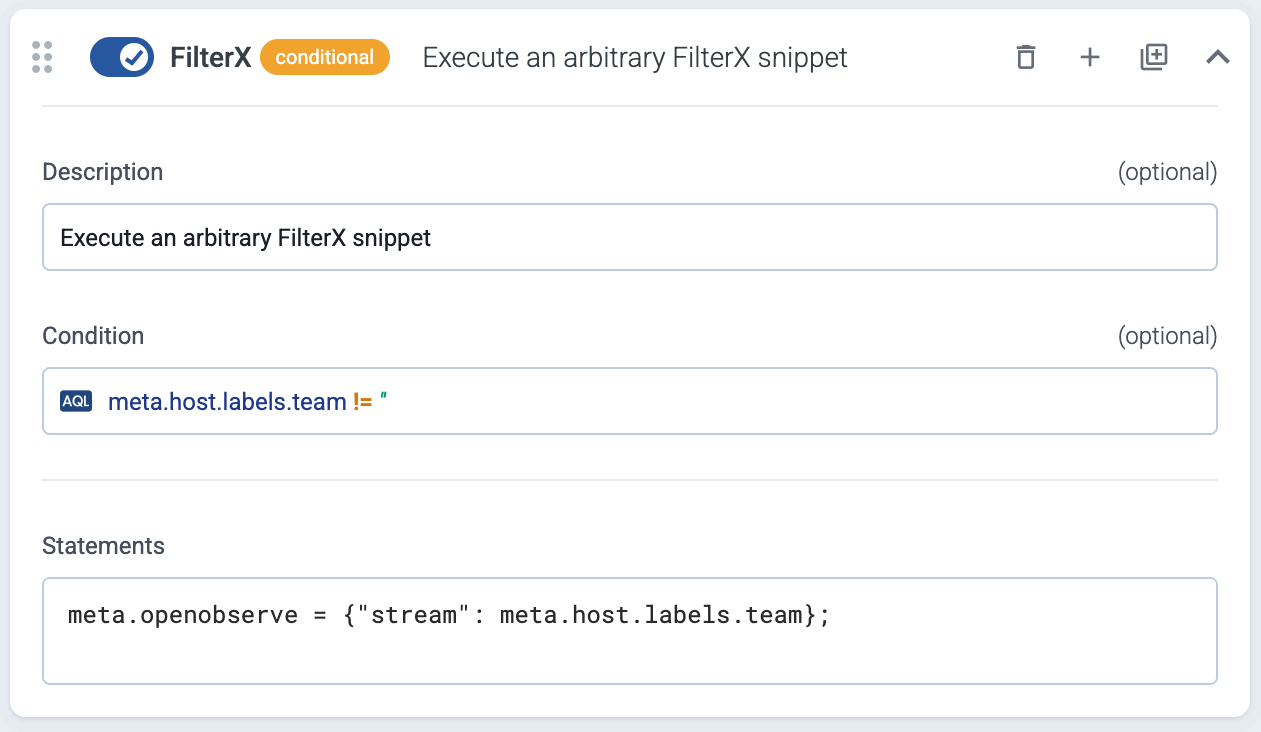
Execute an arbitrary [FilterX]() snippet. The following example checks if the `meta.host.labels.team` field exists, and sets the `meta.openobserve` variable to a JSON value that contains `stream` as a key with the value of the `meta.host.labels.team` field.
## Normalize
_Prerequisite_ : It’s recommended to enable the [**Classify**](../../docs/axoflow/data-management/processing/index.md#classify) step (or its equivalent in the [Connector rule](../../docs/axoflow/data-sources/connector-rules/index.md)) when using the **Normalize** step. Normalization implicitly performs the [**Parse**](../../docs/axoflow/data-management/processing/index.md#parse) step as well.
The **Normalize** step reformats the content of the message to the selected normalization scheme. The following normalization schemas are supported:
* Azure Monitor
* [Cortex XSIAM (XDM)]()
* [Dynatrace]()
* [Elastic Common Schema]() (**ECS**)
* [Open Cybersecurity Schema Framework]() (**OCSF**)

## Parse
_Prerequisite_ : The [**Classify**](../../docs/axoflow/data-management/processing/index.md#classify) step (or its equivalent in the [Connector rule](../../docs/axoflow/data-sources/connector-rules/index.md)) is required for the **Parse** step to work.
The **Parse** step automatically parses the data from the content of the message, and replaces the message content (the `log.body` field in the internal message schema) with the structured information. AxoRouter can parse data from the [supported data sources](../../docs/axoflow/data-sources/appliances/index.md). If your source isn’t listed, [contact us](). Alternatively, you can create your own parser using [**FilterX**](../../docs/axoflow/data-management/processing/index.md#filterx) processing steps.
For example, if the message content is in the [Common Event Format (CEF)](), AxoRouter creates a structured FilterX dictionary from its content, like this:
```
CEF:0|KasperskyLab|SecurityCenter|13.2.0.1511|KLPRCI_TaskState|Completed successfully|1|foo=foo bar=bar baz=test
```
Parsed and structured content:
```
{
"version":"0",
"device_vendor":"KasperskyLab",
"device_product":"SecurityCenter",
"device_version":"13.2.0.1511",
"device_event_class_id":"KLPRCI_TaskState",
"name":"Completed successfully",
"agent_severity":"1",
"foo":"foo=bar",
"bar":"bar=baz",
"baz":"test"
}
```
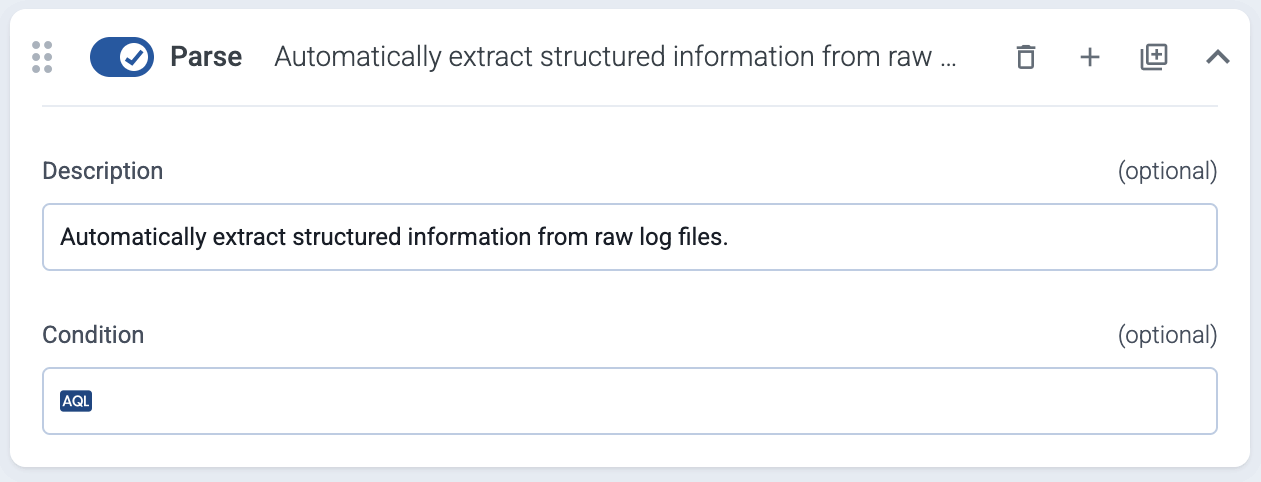
By default, messages that aren’t successfully parsed are forwarded to the next processing step of the flow. If you want to discard such messages instead, enable the **Drop unparsable messages** option.
## Probe
Set a measurement point that provides metrics about the throughput of the flow. Note that:
* You can’t name your probes `input` and `output`, as these are reserved.
* If you add probe called `filtered` to the flow, this point will be the input metric data point when calculating the data reduction of the flow in the [**Dashboard**](../../docs/axoflow/onboard-hosts/dashboard/index.md#reduction) page.
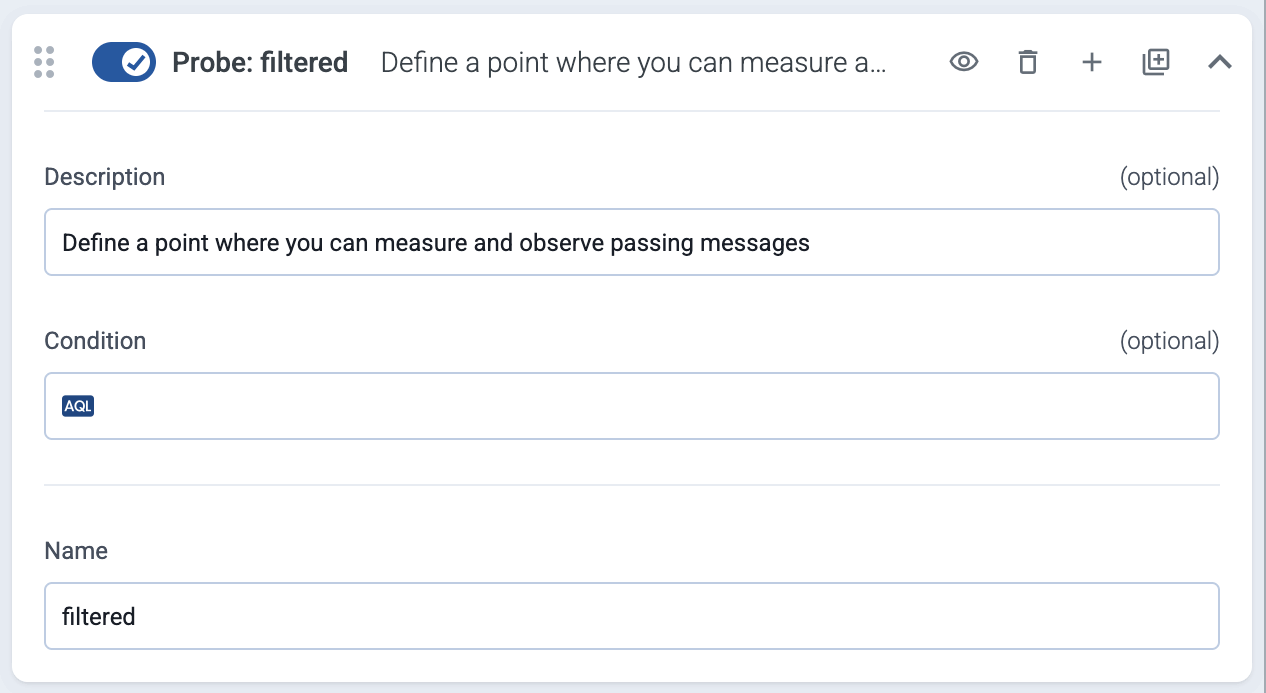
For details, see [Flow metrics](../../docs/axoflow/data-management/metrics/index.md).
## Reduce
_Prerequisite_ : The [**Classify**](../../docs/axoflow/data-management/processing/index.md#classify) and [**Parse**](../../docs/axoflow/data-management/processing/index.md#parse) steps (or their equivalent in the [Connector rule](../../docs/axoflow/data-sources/connector-rules/index.md)) are required for the **Reduce** step to work.
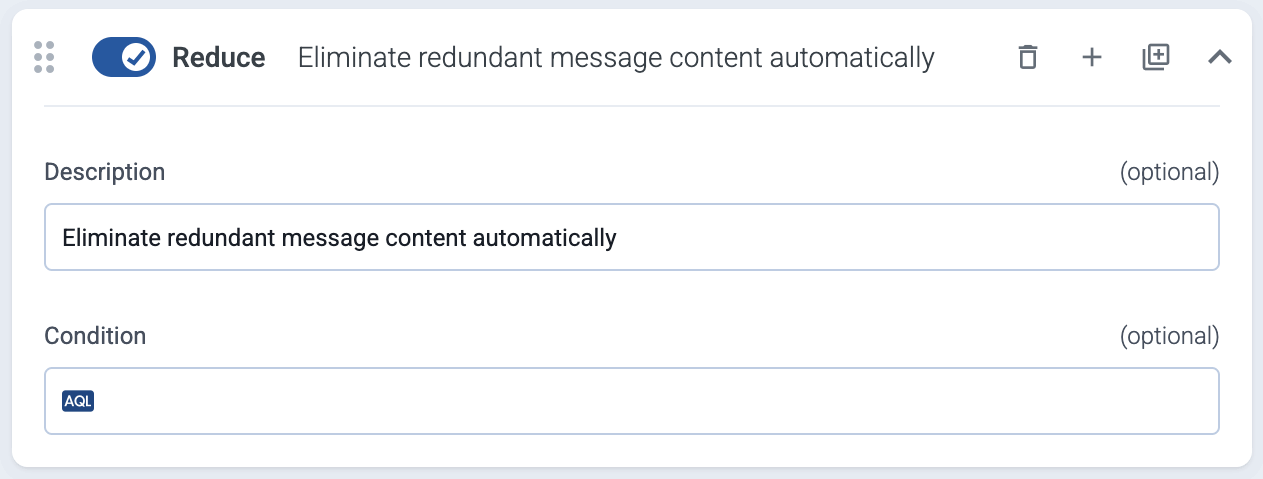
The **Reduce** step automatically removes redundant content from the messages.
* If you want to keep certain fields unchanged, use the **Keep fields** field. For details on the message fields, see [Message schema](../../docs/axoflow/reference/message-schema/index.md).
* To see what changed in a message, add a [**Probe** processing step](../../docs/axoflow/data-management/processing/index.md#probe) before and after the reduce step, then use [Flow tapping](../../docs/axoflow/data-management/flow-tapping/index.md)
For details on how data reduction works, see [Classify and reduce security data](../../docs/axoflow/concepts/classify-reduce-security-data/index.md).
## Regex
Use a regular expression to process the message.
* **Input** is an AxoSyslog template string, for example, `${MESSAGE}` that the regular expression will be matched with.
* **Pattern** is a Perl Compatible Regular Expression (PCRE). If you want to match the pattern to the whole string, use the `^` and `$` anchors at the beginning and end of the pattern.
You can use with the ECMAScript flavor to validate your regex patterns. (When denoting named capture groups, `?P` isn’t supported, use `?`.)
Named or anonymous capture groups denote the parts of the pattern that will be extracted to the **Field** field. Named capture groups can be specified like `(?pattern)`, which will be available as `field_name["group_name"]`. Anonymous capture groups will be numbered, for example, the second group from `(first.*) (bar|BAR)` will be available as `field_name["2"]`. When specifying variables, note the following points:
* If you want to include the results in the outgoing message or in its metadata for other processing steps, you must:
* Reference an existing variable or field. This field will be updated with the matches.
* For new variables, use names for the variables that start with the `$` character, or
* declare them explicitly. For details, see the [FilterX data model]() in the AxoSyslog documentation.
* The field will be set to an empty dictionary (`{}`) when the pattern doesn’t match. For details about the message schema and the available fields, see [Message schema reference](../../docs/axoflow/reference/message-schema/reference/index.md).
### Example: Parse the entire raw message
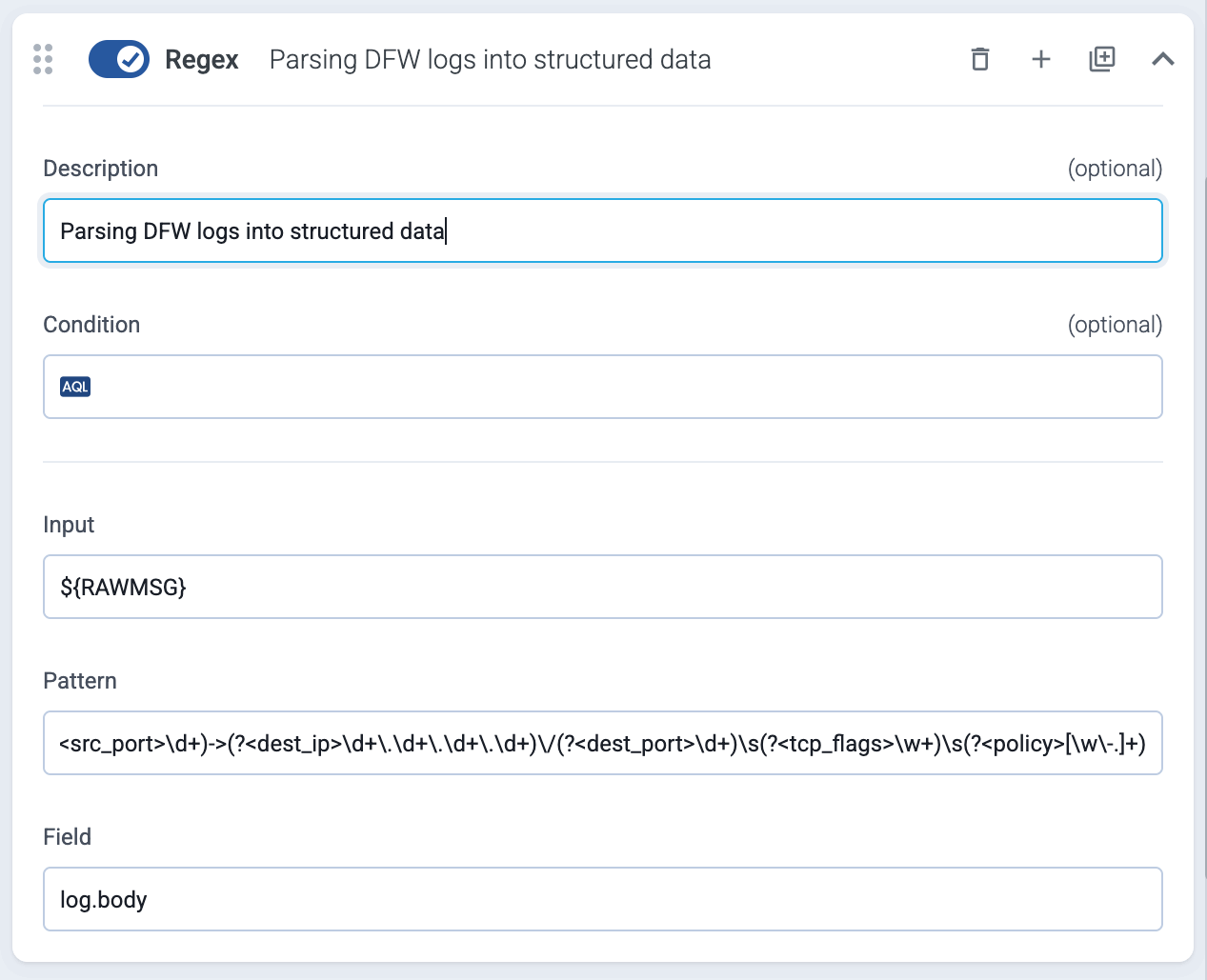
The following processing step parses an unclassified log message from a firewall into a structured format in the `log.body` field:
* **Input** : `${RAWMSG}`
* **Pattern** :
```
^(?<\d+>)(?\d+)\s(?[\d\-T:.Z]+)\s(?[\w\-.]+)\s(?[\w\-]+)\s(?\d+|\-)\s(?\-)\s(?\-)\s(?[\w\d]+)\s(?\w+)\s(?\w+)\s(?\w+)\s(?\d+)\s(?\w+)\s(?\d+)\s(?\w+)\s(?\d+\.\d+\.\d+\.\d+)\/(?\d+)->(?\d+\.\d+\.\d+\.\d+)\/(?\d+)\s(?\w+)\s(?[\w\-.]+)
```
* **Field** : `log.body`
### Example: Parse an existing field
The following processing step processes the entire `log.body` field for messages generated by the AxoSyslog `loggen` command and stores it in the `log.pad` field, for example:
```
2024-05-02T10:56:31.000000+00:00 localhost prg00000[1234]: seq: 0000000065, thread: 0000, runid: 1714647391, stamp: 2024-05-02T10:56:31 PADDPADDPADDPADD
```
* **Input** : `log.body`
* **Pattern** :
```
seq:\s+(?\d+),\s+thread:\s+(?\d+),\s+runid:\s+(?\d+),\s+stamp:\s+(?[^\s]+)
```
* **Field** : `log.pad`
For details about the message schema and the available fields, see [Message schema reference](../../docs/axoflow/reference/message-schema/reference/index.md).
## Select messages
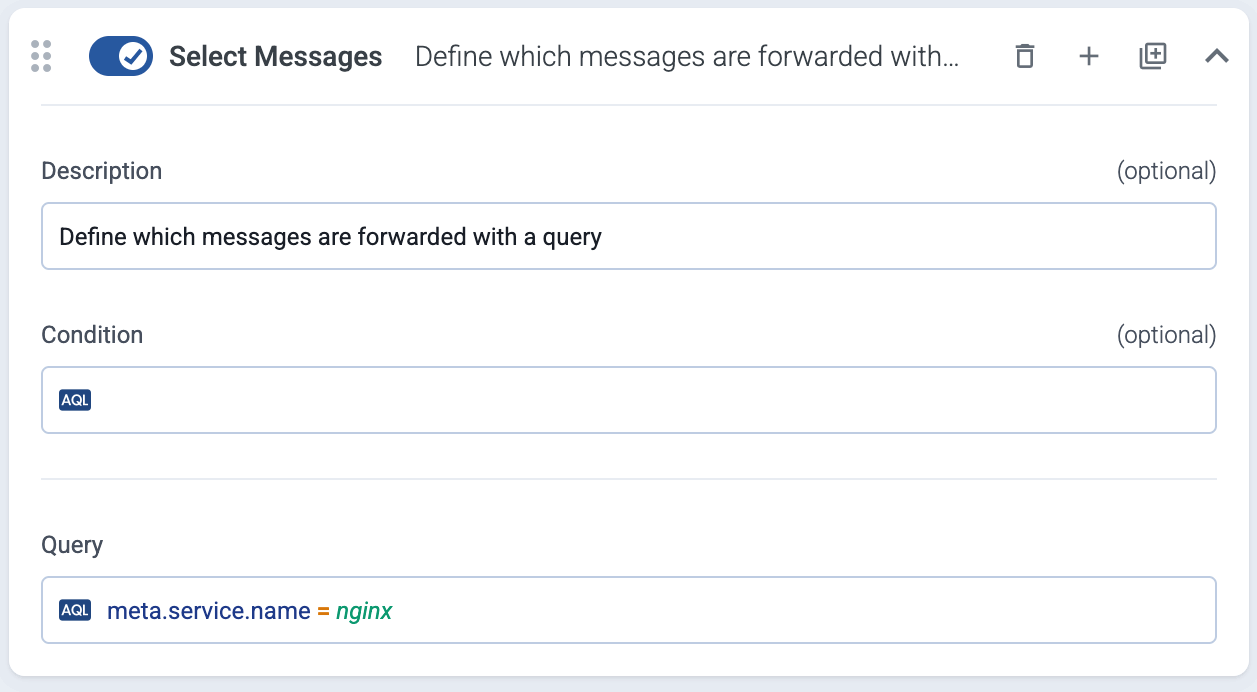
Filter the messages using a query. Only the matching messages will be processed in subsequent steps.
The following example selects messages that have the `resource.attributes["service.name"]` label set to `nginx`.
You can also select messages using various other metadata about the connection and the host that sent the data, the connector that received the data, the classification results, and also custom labels, for example:
* a specific connector: `meta.connector.name = axorouter-mysyslog-connector`
* a type of connector: `meta.connector.type = otlp`
* a sender IP address: `meta.connection.src_ip = 192.168.1.1`
* a specific product, if [classification](../../docs/axoflow/data-management/processing/index.md#classify) is enabled in an earlier processing step or in the connector that received the message: `meta.product = fortigate` (see [Vendors](../../docs/axoflow/data-sources/appliances/index.md) for the metadata of a particular product)
* a [custom label](../../docs/axoflow/onboard-hosts/hosts/add-host-metadata/index.md) you’ve added to the host: `meta.host.labels.location = eu-west-1`
In addition to exact matches, you can use the following operators:
* `!=` not equal (string match)
* `=*` contains (substring match)
* `!*`: doesn’t contain
* `=~`: matches regular expression
* `!~`: doesn’t match regular expression
* `==~`: matches case sensitive regular expression
* `!=~`: doesn’t match case sensitive regular expression
You can combine multiple expressions using the AND (`+`) operator. (To delete an expression, hit SHIFT+Backspace.)
Note
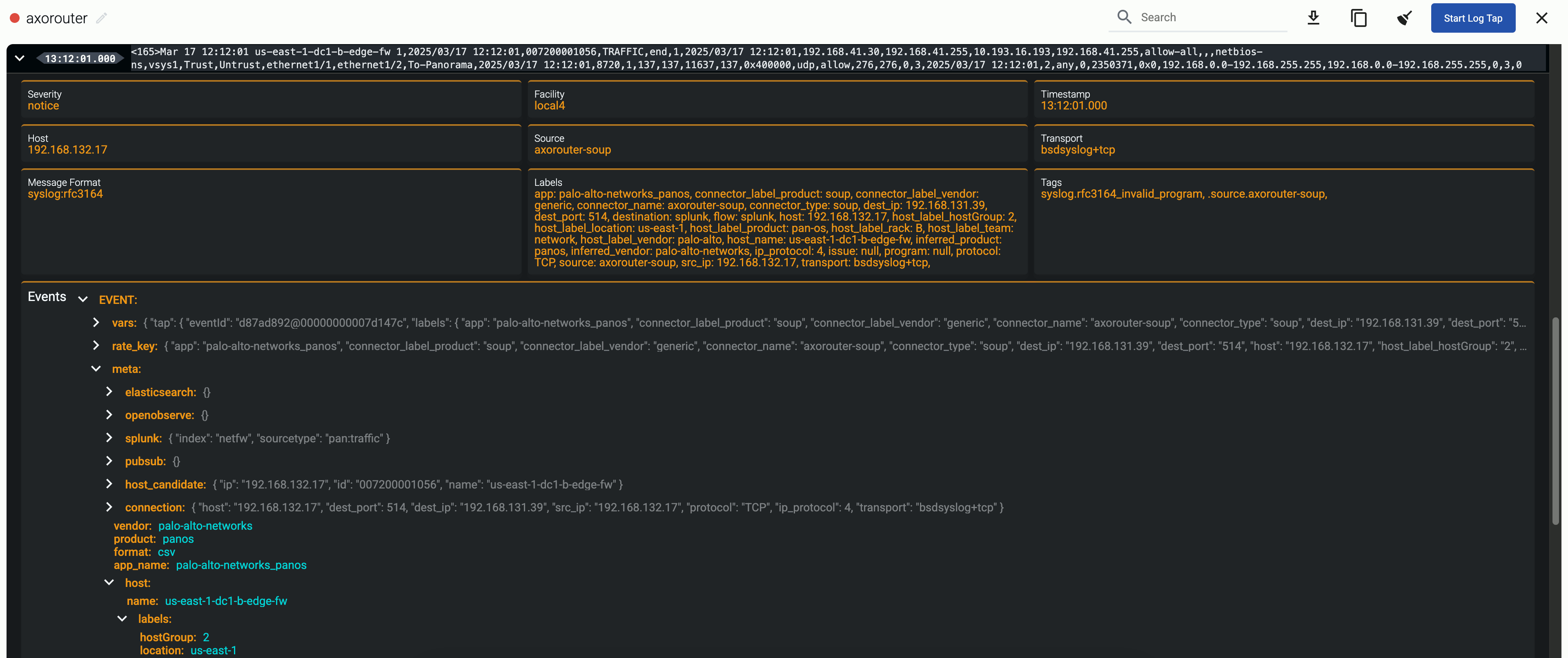
To check the metadata of a particular message, you can use [Log tapping](../../docs/axoflow/onboard-hosts/log-tapping/index.md). The metadata associated with the event is under the **Event > meta** section.
For details about the message schema and the available fields, see [Message schema reference](../../docs/axoflow/reference/message-schema/reference/index.md).
## Set fields
Set specific field of the message. You can use static values, and also dynamic values that were extracted from the message automatically by Axoflow or manually in a previous processing step. If the field doesn’t exist, it’s automatically created.
The type of the field can be `boolean`, `string`, `number`, and `expression`. Select **expression** to set the value of the field using a [FilterX expression](../../docs/axoflow/data-management/processing/index.md#filterx).
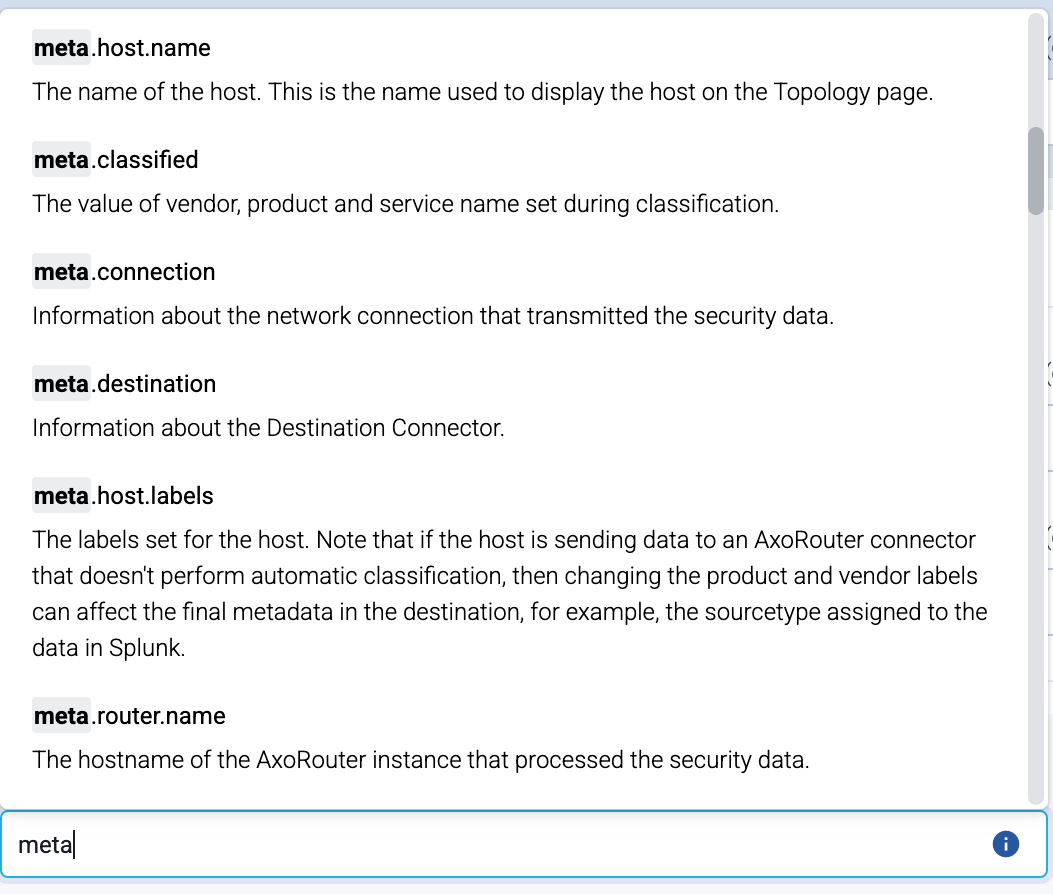
If you start typing the name of the field, the UI shows matching and similar field names based on the [message schema](../../docs/axoflow/reference/message-schema/overview/index.md):
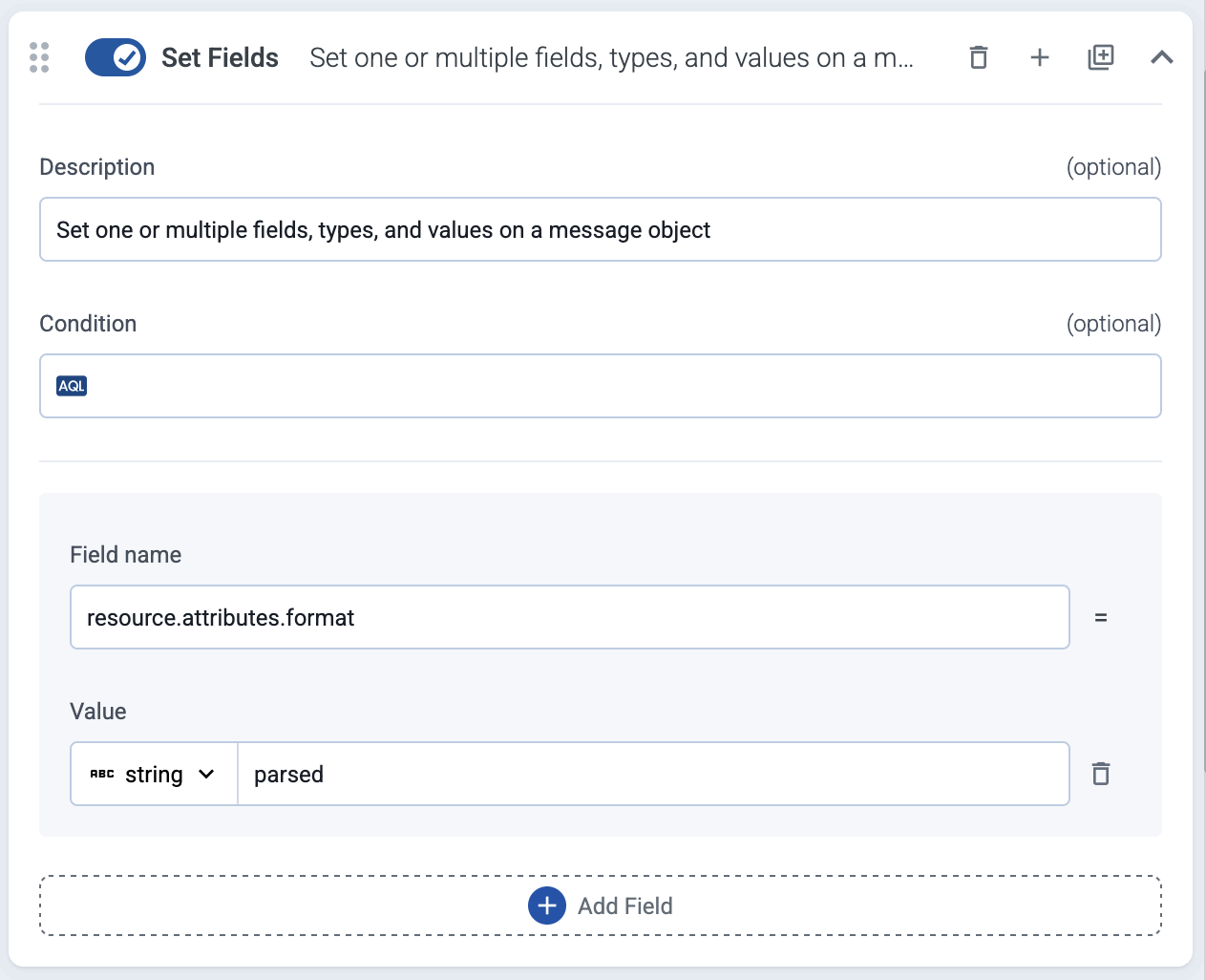
The following example sets the `resource.attributes.format` field to `parsed`.
### Set the Splunk source field
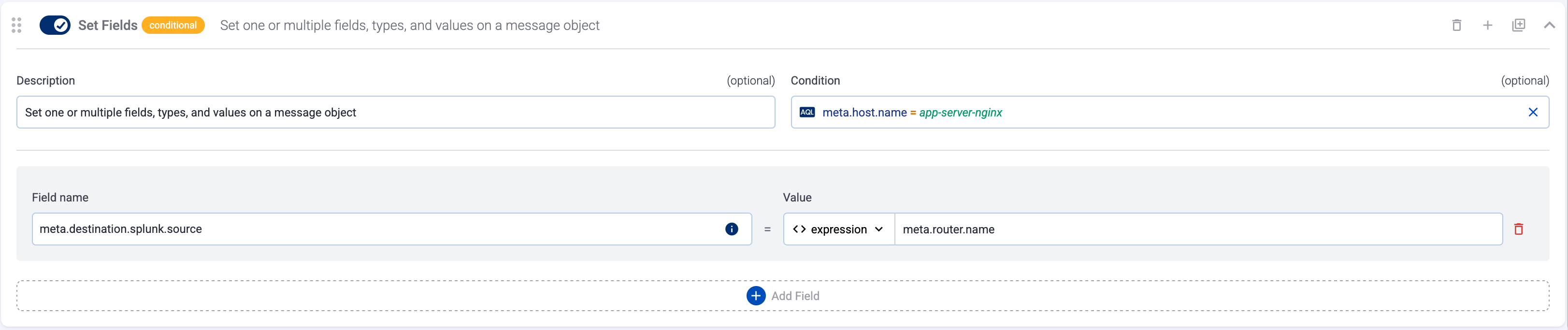
The following example sets the Splunk source field to the name of the AxoRouter host. (Set the **Condition** field to match only the hosts you want the source field, otherwise )
Note If the Axoflow classification doesn’t set the source field for the message automatically, and you haven’t set it in a [flow processing step](../../docs/axoflow/data-management/processing/index.md#set-fields) manually (by setting the `meta.destination.splunk.source` field), AxoRouter automatically sets the source to the [name of the AxoRouter connector](../../docs/axoflow/reference/message-schema/reference/index.md#meta.connector.name) that received the message (for example, `axorouter-syslog-tcp-514`).
## Set destination options
If you select the **Set Destination Options** in the **Destination** step of the flow, it automatically inserts a special [**Set Fields** processing step](../../docs/axoflow/data-management/processing/index.md#set-fields) into the flow, that allows you to set destination-specific fields, for example, the index for a Splunk destination, or the stream name for an OpenObserve destination. You can insert this processing step multiple times if you want to set the fields to different values using conditions.
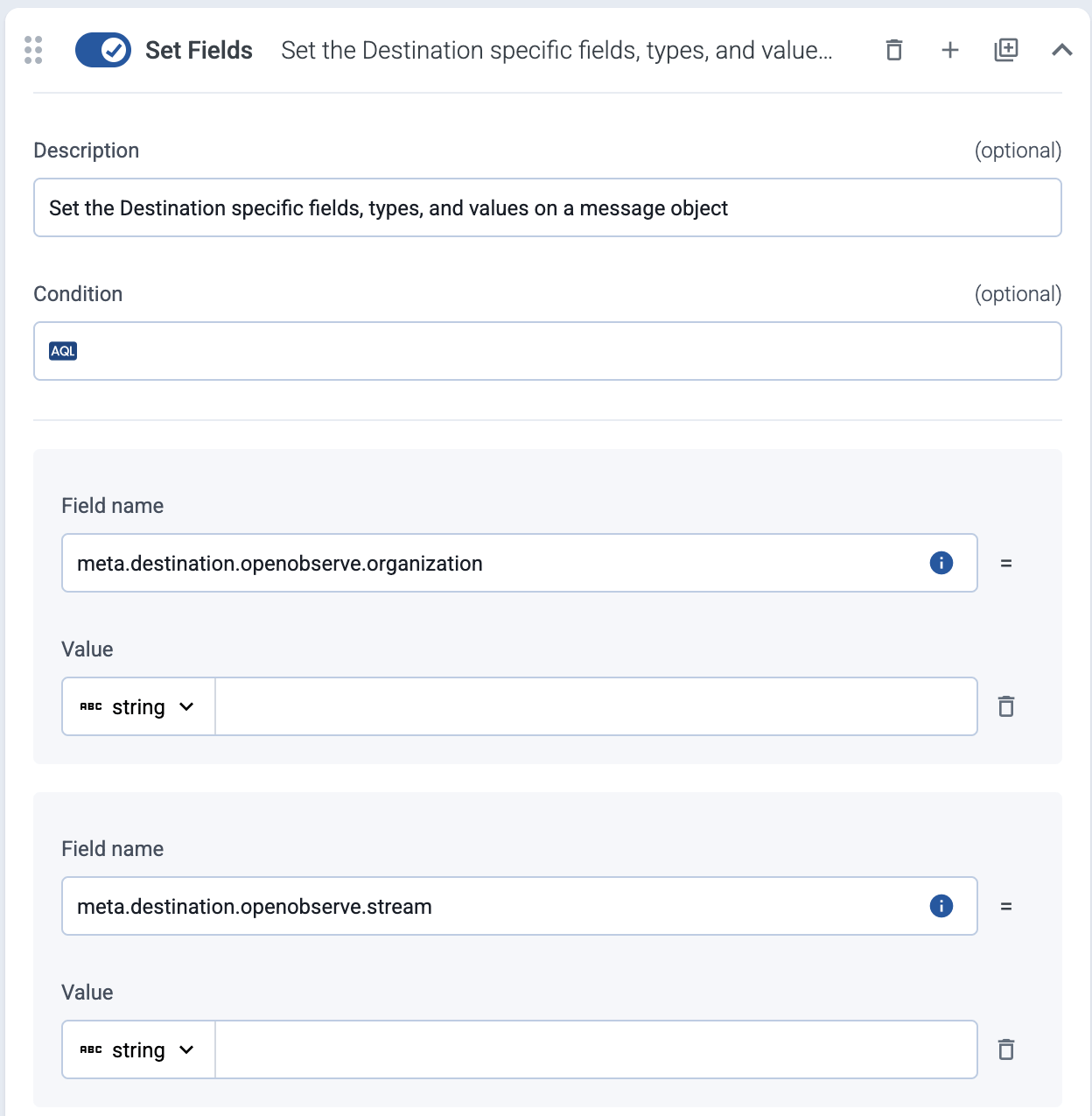
When using **Set Destination Options** , note the if you leave a parameter empty, AxoRouter will send it as an empty field to the destination. If you don’t want to send that field at all, delete the field.
## Unset field
Unset a specific field of the message.